Check out this awesome Light Painting Stop Motion Animation by Daniel Barreto. Daniel created this piece from hundreds of single exposure light paintings using a Pixelstick and LED Light Wands.
Using Light Painting to Visualize Radiation at Chernobyl and Fukushima

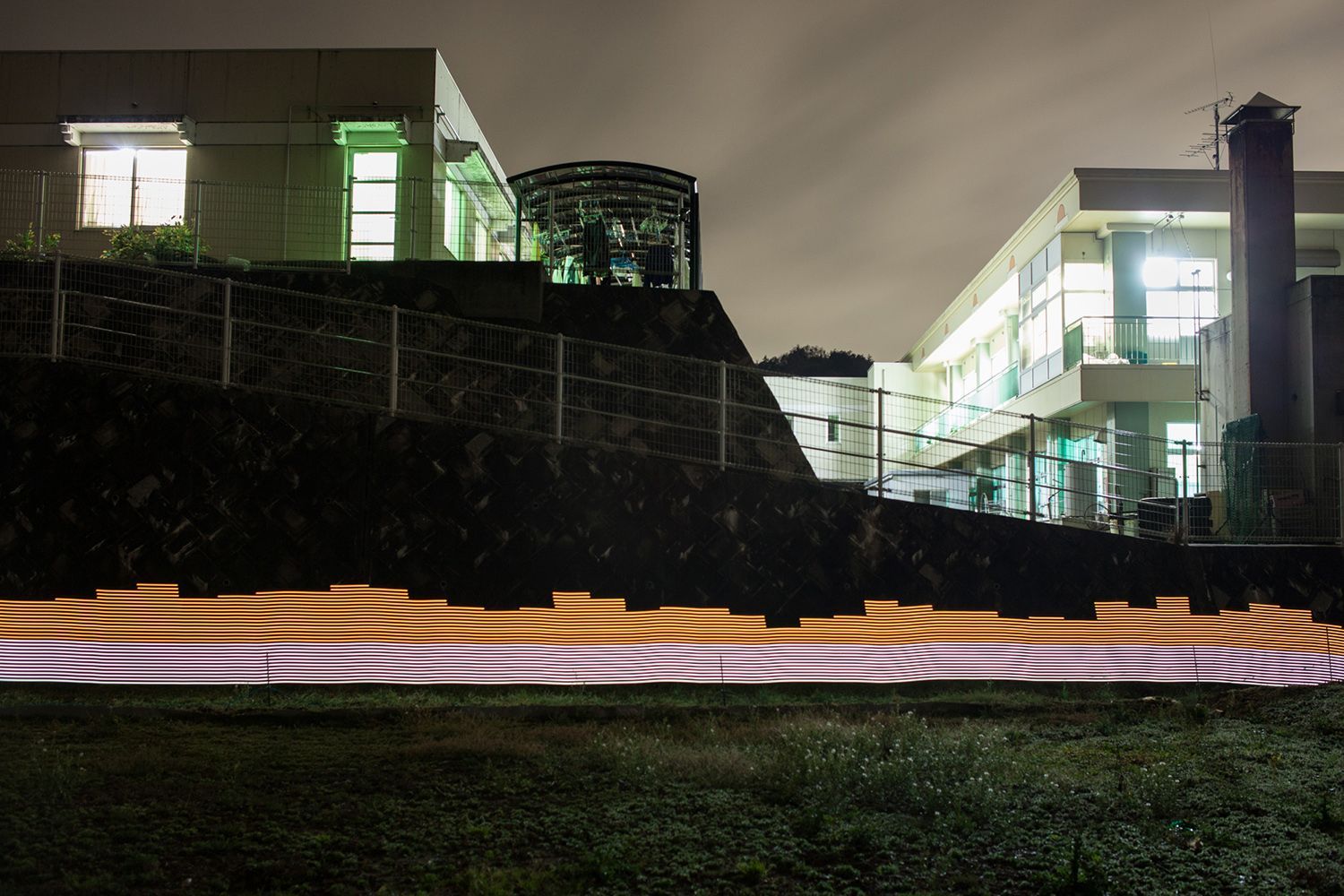
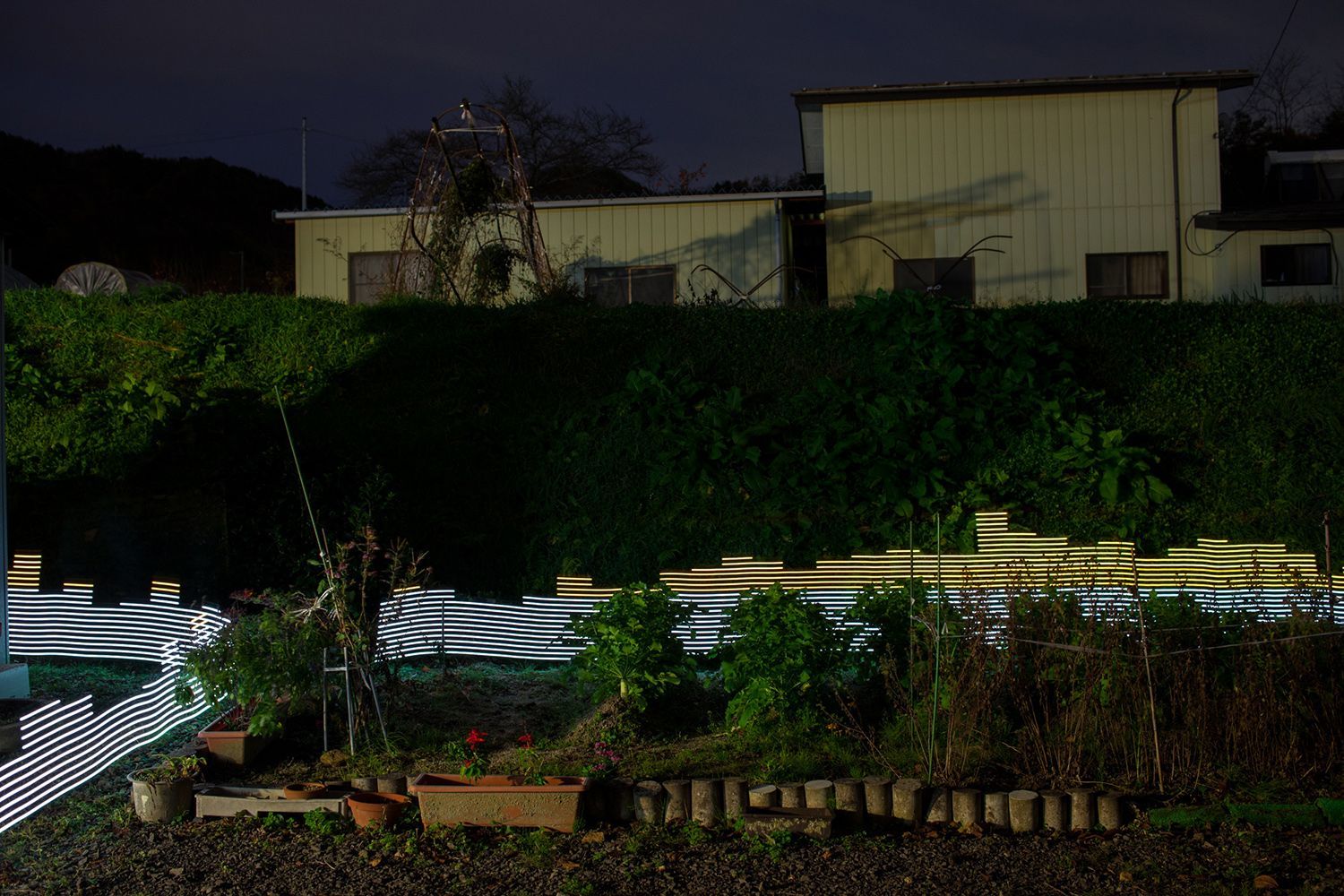
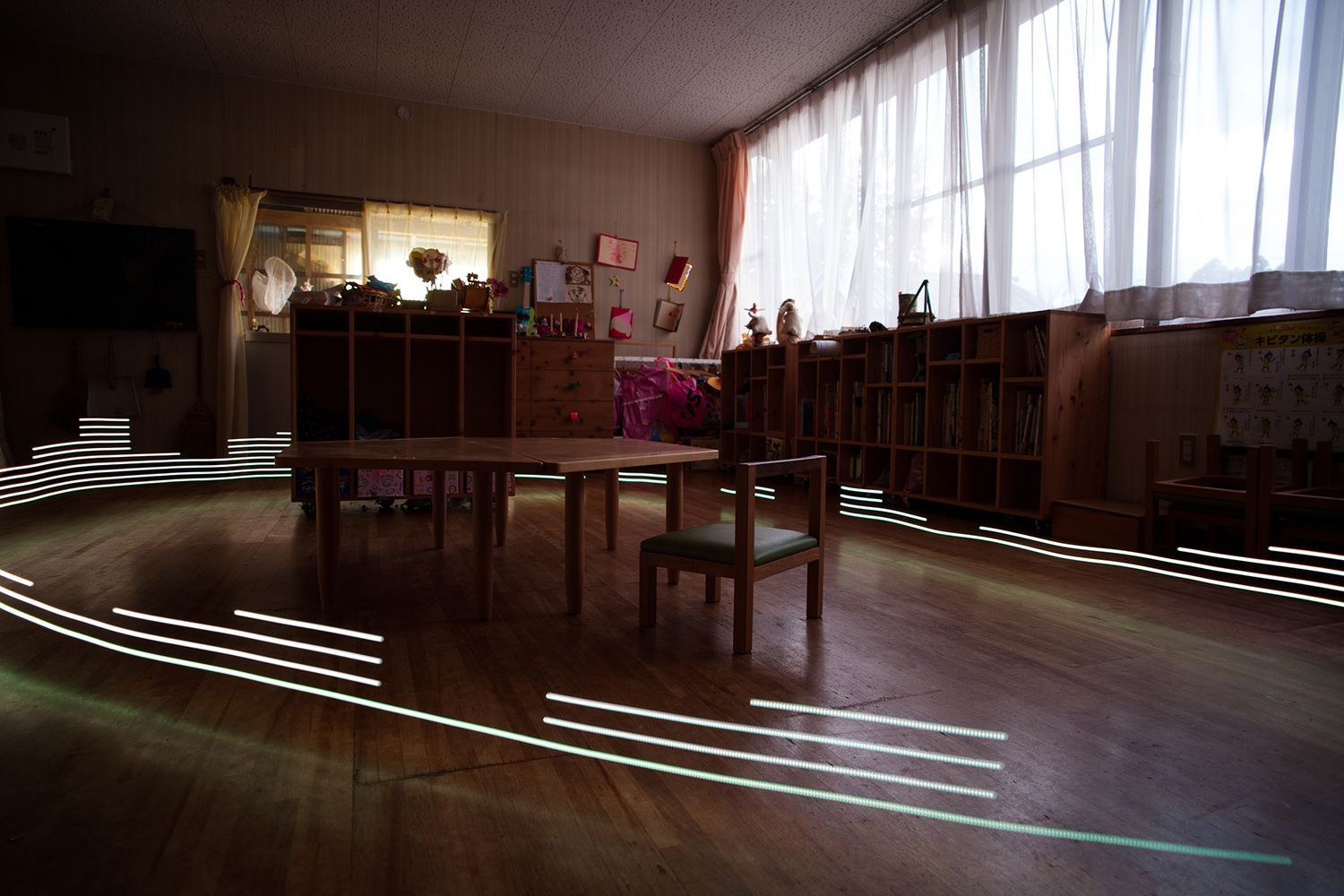
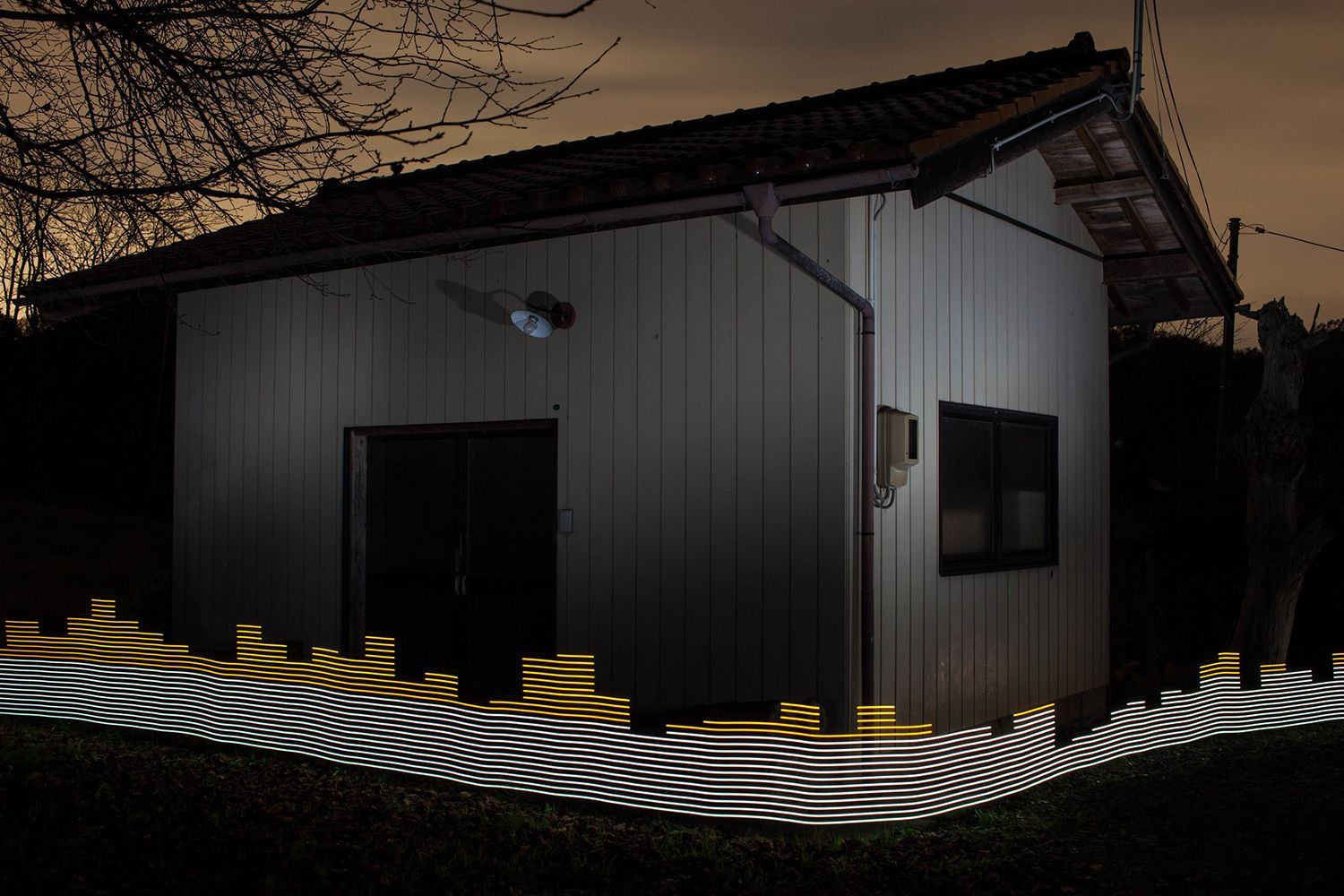
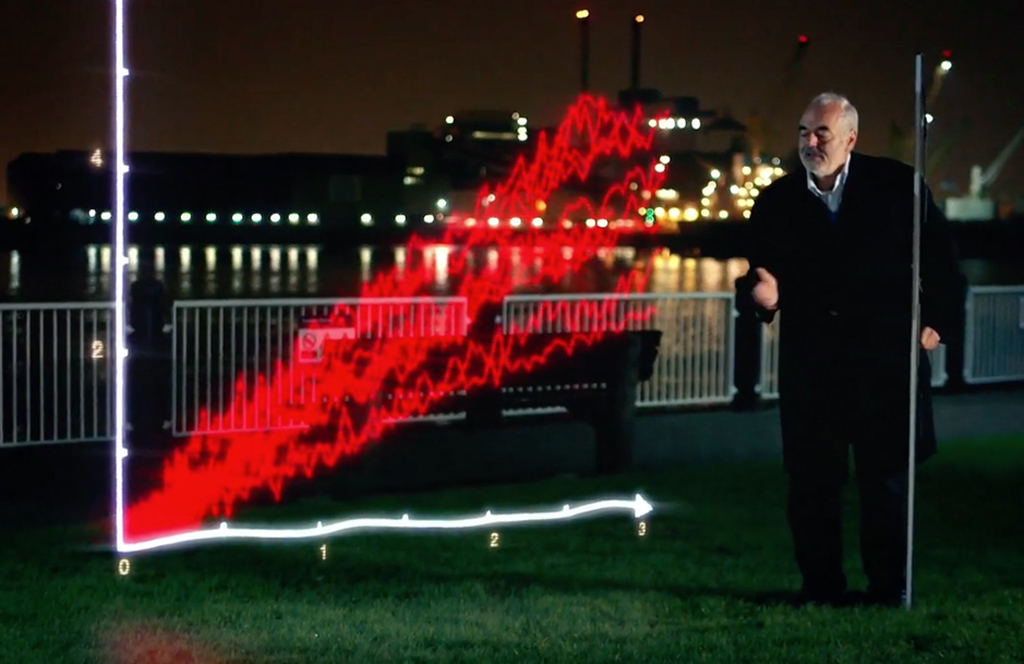
You might remember Greg McNevin’s previous light painting project called Immaterials a project that explored the invisible terrain of WiFi networks in urban spaces by light painting signal strength in long-exposure photographs. Greg’s most recent light painting work has taken the technology that he developed from Immaterials and adapted it to show the invisible killer that is radiation in two of the world’s most contaminated places, Chernobyl and Fukushima.

Greg created light paintings working along side Greenpeace by using a programmable LED light rod connected to a Geiger counter that would output an analog signal. The signal was then converted into a light display on the LED light strip via the onboard Ardunio controller.
-White light showed levels of radiation the governments viewed as acceptable for 8 hours of exposure.
-Orange light showed levels of radiation the governments suggested protective measures should be considered to prevent radiation exposure.
-Red light showed levels of radiation where protective measures we necessary.

Testing areas that the governments had “Decontaminated”, some areas 30 years after the disaster, Greg consistently recorded radiation levels elevated above the official acceptable guidelines. Greg says his lightmapping series isn’t a critique of governments’ decontamination efforts, rather it is a visible demonstration of long-term effects of Nuclear Disaters.
Read more about this project on Greg’s website HERE.
Darren Hopkins Plexiglass Light Painting Color and Texture Tutorial
Light Painting Photographer Darren Hopkins has been doing some amazing things using his plexiglass light painting tools. The colors and light textures he has been producing are simply beautiful. I asked Darren if he would share some of his secrets with us and he provided this excellent light painting tutorial showing exactly what he is using to create his imagery.
Plexiglass Blade Light Painting Tutorial by Darren Hopkins:
In this tutorial I am going to explain how to get different textures and colors from the plexiglass blades, using simple items to customise them. I will also explain the camera settings I use and the techniques that work for me.

Equipment you will need:
Camera capable of bulb mode (or Long Exposure)
Tripod
Remote or Cable Shutter Release
Plexiglass Light Painting Attachment
Torch or Flashlight
Colored gels
Masking tape
Sellotape or Transparent Tape
Cling film
Customising the Blades
The tools that I use are the Light Painting Brushes Plexiglass Attachments and Patrick Rochon’s Liteblades, customised with colored gels, masking tape, sellotape and cling film.
With the Light Painting Brushes, I cut strips of colored gels to go around the edge of the blades and attach them with the sellotape. Using a combination of different colours on the edges to give an interesting effect when waved. I will also half cover some of the blades with extra large masking tape which gives a smoky/milky effect and is a nice contrast to the vivid edges.
I do a similar thing with the Liteblades. Put little pieces of coloured gels in the connecting part of the blade, again half cover with masking tape and use cling film around the base of the blade.
Set up
Set up is simple – just the camera on a tripod focused on the area where you will be waving the blades.
To set focus you turn the lights on. Mark the area where you will be working. Zoom in pull focus (either on manual or auto focus) once you have the focus set switch the camera to MANUAL focus and then pull back out and frame the shot. Switching the camera to manual focus will make sure the camera will remain in focus when the lights are off.
The camera settings I use are f/11, bulb mode, white balance daylight and ISO ranging from 100 to 320. I usually keep the settings the same and adjust the ISO until I’m happy with the results.
The lens is set at about 28mm for most of the shots (full frame); I stand about 1.5m – 2.0m away from the camera and use a remote to release the shutter.
There are two torches work with Partick’s Liteblades they are the Klarus XT12 and RS11, I use both of them. The Klarus torches have a maximum lumen output of 930 lumens, I sometimes use them on 1/2 power mode to get a pulse width modulation effect.
With the Light Painting Brushes Plexiglass you can use just about any torch attached via the Universal Connector. With the Light Painting Brushes I use the Klarus lights and I also use the LED Lenser M7 with a 400 lumen output.
Technique
The technique is trial and error but I’ve found some movements give more interesting results:
A twisting, stabbing motion towards the camera gives a messy textured look with the appearance of lots of layers and a bit of light flare as contrast.

Dragging the blade from left to right, swirling in the middle, gives a tidier look and can produce nice loops with different colors.
Swinging the blades out towards the lens and back to your body produces an arch of different colors.


I also hold two or three blades in one hand for these techniques, which gives more texture and interesting patterns as the light from one blade passes through another. Using the strobe mode on the torch also adds a different look.


Happy waving.
Check out more of Darren’s work at the links below:
Darren’s Facebook
Darren’s Instagram
Light Painting Photography Contest Winner, May 2016
And the winner for the March 2016 Light Painting Photography Contest is… Christina Salinas! Christina created the super cool winning image ⇧ above ⇧ using light stencils and a multitude of different light painting tools all in a single 196 second exposure. Christina is a Digital Photography teacher in northern California who loves to share light painting with her student, she will be donating all the new gear she receives in her prize package to her school and students! Here are all the steps Christina took to create the winning image:
Step #1: I created a (2) 8.5 x 11 black and white stencils with the Logo design (in yellow) & the Array in Red/orange
Step #2: I then made a light tight, exposure box to hold the stencil.
Step #3: I printed two copies of each stencil, placing them into a sheet protector and placing them on the exposure box, using straight pens to hold in place.
Step #4: Camera settings were set to ISO 100, F 14, Bulb Mode
Step #5: I used a cannon Speedlite flash and covered it with a yellow gel setting it to Manual, full power.
Step #6: I then locked my shutter with a cable release and exposed the Logo stencil using the flash &, and then switched the stencil to the array stencil. For this stencil, I used the Light Painting Brushes red & orange hooded gels exposing the edge of the array with red and orange in the middle.
Step #7: I then used the Godspeed lite blade along the edges of the stencil, moving every few inches around the stencil design.
Step #8: To finish the exposure, I raw processed the image and cropped to an 8×10.
This exposure lasted for 196 seconds.
To see more of Christina’s light painting work you can check out her LPWA profile HERE. For this fabulous creation Christina will receive a LPP prize pack filled with treasures from our sponsors below. Click here to see the current contest theme and find out how to enter to win your LPP prize pack!
Click here to see the current contest theme and find out how to enter to win your LPP prize pack!
The Invention of #HoloPainting, Animated 3D Light Painting

You might be saying did I read that title right? Animated 3D Light Painting?!?! Well yes indeed you did, Light Painting animation just took a giant leap forward thanks to the creative geniuses at Film Spektakel It called HoloPainting and here is how it works:
“Holopainting is a combination of the Light Painting, Stop Motion and Hyperlapse technique to create three dimensional light paintings. We didn’t want to use computer generated images, so we built a giant 3D scanner out of 24 Raspberry Pis with their webcams. These cameras took photos from 24 different perspectives of the person in the middle with a delay of 83 milliseconds, so the movement of the person also was recorded. After that we spent endless hours cutting out each photo, so we would have the person on a black solid as background. We then made a hyperlapse around a light painting artist who painted each of the photos we took before according to the current position of the camera. As a result the hyperlapse circulates around a three dimensional light painting. We felt like painting a hologram, so we called it a Holopainting.”
The results are pretty amazing and I can’t wait to see where this goes… Check out the video and links below to find more about Film Spektakel.
Website: filmspektakel.com
Facebook: facebook.com/FilmSpektakel
Twitter: twitter.com/FilmSpektakel
Instagram: instagram.com/filmspektakel
2nd International Light Art Congress in Oviedo Spain
July 15th-17th, 2016…. Schedule your flights and book your hotels rooms if you can because the 2nd International Light Art Convention in Oviedo Spain is a Light Painting Event you do not want to miss!
This International Light Art Event will host some of the best Light Painters and Night Photographers in the world. There will be so much to do your creative mind might just go into overload! Some of the events set to take place include speeches, light painting presentations, master classes, street spectacles, Live light painting shows, group light painting night sesions and much more. If you are just getting starting in Light Painting or have been with us for years there will be something for everyone at 2nd International Light Art Convention!
If you are not able to make the event in person you still have an opportunity to be participate by showcasing your best light painting artwork. The Light Painting World Alliance will be putting on their 5th LPWA exhibition. To exhibit your work you must be a LPWA member (its free) and submit 3 of your best light painting works of art. You can click right HERE to find out all the information on submitting to the LPWA Exhibition.
Thank you to LPWA, Children of Darklight, and the City of Oviedo for creating a spectacular Light Painting event!
Light Painting Photography Contest Entries, May 2016

Here are the entries for the May 2016 Light Painting Photography Contest. First off THANK YOU to all the participants! Now everyone PLEASE VOTE in the comment section of this page to pick your top 3 images, the images all have a number in the title (EXAMPLE… IF ONE OF YOUR FAVORITES IS THE IMAGE TITLED “Light Painting Contest 03 May 2016″ THEN YOU SHOULD PUT THE NUMBER 3 AS ONE OF YOUR CHOICES). Please remember that the theme of this contest was to create a light painting incorporation the LPP Bulb Logo. Voters that do not include 3 unique choices in their post will not be counted. In other words no 1,1,1, or 5,5,5, or 7,7,7,…..Please pick your three favorite IMAGES based on the image alone.
The light painting photography contest series is sponsored by the best damn companies on earth COAST Flashlights, Neon Flexible, LED Flexible,and Light Painting Brushes ! Please support these awesome companies that support our light painting art from, without them this contest series would not be possible!


Light Painting Tutorial, How To Light Paint Wings
I made a new video tutorial showing how to create wings like the ones above using the feather plexiglass from the Light Painting Brushes, hope you enjoy.
Light Painting Tutorial: Wings from Light Painting Photography on Vimeo.
Light Painting Tutorial: Wings
In this light painting photography tutorial Jason D. Page shows how to create wings using the feather plexiglass attachment from the Light Painting Brushes system. As you will see the new feather plexiglass light painting tool is also great for creating light writing and light graffiti, light orbs, abstract light painting and even beings made of light.
Basics of Light Painting can be found here: vimeo.com/107517730
Thank you to Jeswin Rebello, Efren Herrera, and Darren Hopkins for the inspiration and for contributing images to this light painting tutorial.
On Instagram @LightPaintingBrushes #LightPaintingBrushes
instagram.com/lightpaintingbrushes
facebook.com/lightpaintingbrushes
twitter.com/LPBrushes
lightpaintingbrushes.com
This is Stupid Light Painting.
People please be smarter than this. Some jackass burnt down another landmark that was beloved by the community and photographers for miles around. I am pretty sure whoever did this is really sorry and didn’t have the intention of burning this building to the ground but just in case you didn’t know, Burning Hot Steel Wool will set things on fire especially historic landmarks made of WOOD, please be smarter than the material you are working with! via PetaPixel.
Here is a tutorial, note it will burn your house down:
Light Painting Bear Hug Cranberry Vodka by Adrien Veczan
This is an excellent example of when Light Painting and Photoshop can form a symbiotic relationship. In this BTS light painting video photographer Adrien Veczan uses Light Painting techniques to highlight specific areas of the Bear Hug Cranberry Vodka bottle and then layers them all together in post to bring to life an exquisite image that would be impossible to accomplish in just one single exposure. Enjoy.