Light Painting Photography

For the promotion and progression of Light Painting Art and Artist.

  • Home
  • Blog
  • History
  • Artists
    • Dean Chamberlain
    • Eric Staller
    • Susan Sims-Hillbrand
    • Vicki DaSilva
    • David Lebe
    • Troy Paiva
    • Bruno Mesrine
    • Chanette Manso
    • Patrick Rochon
    • Aurora Crowley
    • LAPP-PRO
    • JanLeonardo
    • Lightmark
    • Arturo Aguiar
    • Pete Eckert
    • Trevor Williams
    • Michael Bosanko
    • Jason D. Page
    • Nocturne
    • Brian Hart
    • Jeremy Jackson
    • Janne Parviainen
    • Jadikan-LP
    • Dana Maltby
    • Lichtfaktor
    • Dennis Calvert
    • TigTab
    • Hannu Huhtamo
  • Tools
    • Light Painting Brushes Starter Kits Introduction
    • Fiber Optics Light Painting Tools for Photography
  • Tutorials
    • Beginner Light Painting Tutorials
    • Light Painting Tutorials by Artists
    • Light Painting Tool Tutorials
    • Kinetic Light Painting Tutorials
    • Light Painting with Fire Tutorials
    • How To Light Paint A Flower
    • Light Painting Photography Tutorial: The Spiked Orb
    • How To Light Paint a Faberge Orb!
    • No More Orb Feet – Light Erases Darkness
    • The Tinfoil Light Painting Technique
    • How To Light Paint A Ghost
    • Electric Orb Light Painting Tutorial
    • Spirographs and Physiograms Tutorial
    • On Camera Light Source
    • Off Camera Light Source
    • Orb Techniques
    • Steel Wool Tutorial
    • Custom White Balance
    • Omnidirectional Light Cap
    • Gel Holder
    • Simple Orb Tool
    • 4 Ways to Add Color to your Plexiglass Light Painting Brushes
    • Driving Shots at Night
    • Wire Wool Spinning
    • El Wire Tutorial
    • Light Stencils
    • Orbs
    • Dome Tutorial
    • Battery Operated Cathode
    • Light Wheel
    • Double Wheel
    • Fire Wall Tutorial
    • Fire Rain Tutorial
    • Smoke
    • How To Light Paint with the Polaroid One Step +
    • How To Focus In The Dark
    • Light Painting Tutorial The Peacock Technique
    • How To Shoot Defocused Fireworks Tutorial
    • Drone Light Painting Tutorial
    • Light Stencil By Trevor Williams
    • Andrew Whyte Dome Tutorial
    • Light Painting Workshop by Patrick Rochon
    • Rob Turney Refractographs
    • SpiroJib by Johnny Griffin
    • Lens Swap Light Painting Tutorial
    • Camera Rotation Light Painting Tutorial
  • Videos
    • Light Painting Documentaries
      • Jason D. Page Documentary
      • Ball of Light
      • Night Photography: Finding Your Way In The Dark
      • Lightpainted Reality
      • SeeMe | In Focus : Pete Eckert
      • Pete Eckert – Dancing on The Edge of Perception
    • Dean Chamberlain
    • Vicki DaSilva
    • Patrick Rochon
    • Lichtfaktor Light Painting Videos
  • Terms
  • Links
  • Connect With Us!
  • About
You are here: Home / Archives for Light Painting Photography

Why is Light Painting so Alive? by Chanette Manso

April 26, 2016 by Jason D. Page

Light Painting by Chanette Manso
In this excellent article written by Chanette Manso, originally published in german by LICHT MAGAZINE-Munich, GERMANY June 2015, she explores the debate of fine art vs. documentary photography in Light Painting. Chanette talks about how her Light Painting work has evolved over the past 20 years and explains why she feels Light Painting should fall into the category of Fine Art.

Why is Light Painting so Alive?

With the popularization of Light Painting Photography over the last decade, it would be timely to reopen the debate started between fine art photography and documentary photography. The root meaning of photography being “drawing with light”; photo comes from photon or light and graph from drawing. The term Light Painting may seem redundant with the meaning of photography, yet it isn’t really because it differs in the way light is used to make an image.

In the early 20th century a handful of photographers such as Alfred Stieglitz or Edward Weston advocated photography as fine art, while another group along with Ansel Adams thought photography should stay sharp and accurate. The first group created a movement called “Pictorialism”, where they chose soft focus for a dreamy atmosphere; while the second group reacted to this with “Strait Photography”, not wanting to imitate.

Yet renaissance painters used the camera obscura to best reproduce on a flat surface what they could see with the naked eye; just as photorealism and hyperrealism painters in the 21st century made paintings to best resemble a photograph. Considering how many paintings resemble photographs and how many photographs resemble paintings, the idea of imitation has a new appeal, especially in our day and age of computer imaging. However, between light painters the debate between a sharp and a soft focus continues.

The technologies developed around photography have most often been to attain a sharp image, by reducing the time of exposure to light. In the beginning all photography was long exposure just like light painting. Reproductive and documentary photography aims to capture what the naked eye sees, disregarding that all is in movement. Weather close or far, weather still or in motion we can see everything at once in focus. The object of light painting is to capture light and or matter through movement over time. Light paintings often adds or shows what the naked eye cannot see, thus it is a very different way of conveying image and light.

A regular photographer chooses a subject, frames it and then uses natural or electrical light to capture a landscape, a portrait, or an object. Light has a more selective role for light painters. There are three basic techniques in light painting that each use movement. One is where the artist reflects moving light onto matter choosing what to show or not in a landscape, portrait or object. The irregular movements of light on a subject create a painted look. If the subject moves it becomes blurry, if not the subject will appear sharp but soft. Another technique is to move the light source directly towards the camera, making light drawings or light streaks. What light shapes to make remains the artist’s choice from improvisation to light choreography. The third movement possible is that of the camera itself on a fixed light source, creating a light form, which is more difficult to control. There are more light painting techniques evolving all the time with each light painter testing, experimenting and inventing to portray their vision of life.

As a light painter of twenty years I have watched light and matter dispute their place in my images. I remember being captivated by a photograph called, “Mafia Spaghetti”, a black and white portrait of a mafia guy covered with threads of light looking like spaghetti. I kept wondering how I could see the man perfectly still at the same time as the movement of light traces from Christmas lights above. “Open Flash” was the term explained to me for setting off a strobe light to fix the matter or man while keeping the camera shutter open to record the movement of the hand-held camera. Inspired by this, I experimented dancing with tiny light bulbs on my fingers, thus discovering how human movements can make light circle, figure eights, and spirals. The streets of Paris became my open studio, including the Moulin Rouge, train stations and along the banks of the river, La Seine. I liked postcard views of the city and had fun adding light graffiti, words or one-line drawings to the scenes. These early light painting included urban settings, a visible model and light streaks. Today these may be categorized as street art; I prefer to call it streak art in reference to the light.
1991_chanette__paris-pomme

I used more light and less matter by moving into the studio, where I hung a black backdrop, a blank slate, a door to imagination. Working in the dark allows for a multiple exposure effect in one shot similar to using computer software. The main difference being live is you can’t back up, part of the light painting challenge. Even more so when working with film than with digital where you see the results immediately, take more pictures and evolve more rapidly. My light painted editorial shots for fashion, sports and portraits in San Francisco were based on strobe lighting with a recognizable subject matter. Soon after, I became fascinated with light as matter, light as content and less highlighting product.

Covering themes that mirror life reflections, I explored my Cha silhouette technique, where I would photograph only light while using the human body as empty space to structure the light shapes. I felt that pure light painting with no matter was closer to my imagination, to my feelings and thus I could express so much more than with regular photography or than with my first light paintings. During this period I focused on such series as, «Balancing Act», «Spreading the Wings», «Releasing the Ties», «Transformation», «Eternal Renaissance of the Adult Woman» and «Inkblots».
2007_chanette_manso_inkblot7

Recently, I have been developing a light painting that tends towards a more organic feel than some previous work. My Body Light involves light reflective body painting combined with light painting. The human body is no longer a structuring empty space, but becomes the moving light source or «light brush» itself creating softer more impressionistic subjects against the sharpness of light filled backgrounds. I particularly like the contrast between the soft and the hard in many of these works. Fuzziness evokes fuzzy feelings in mysterious ways, whereas sharpness tends to trigger intellectual reflection.
2015_chanette__neyteri_grooming

I find conventional photography uses light to catch only an instant of life, while light painting uses light to encompasses time through space thus closer to real life. Light painting with unlimited imaginative expression is more apt to produce an emotion and fall within the realm of fine art.

About the author
Chanette Manso is a French-American artist, now living in the South of France. Her light painting choreography stems from two life long passions, dance and photography.  “The energy behind my direction comes from my interest in how movement creates image and how image can play a role in culture.” See more at ChanetteManso.com

WHAT ARE YOUR THOUGHTS ON ALL OF THIS? WRITE IT IN THE COMMENT SECTION BELOW. 🙂

Filed Under: Light Painting Photography

Light Painting Videography with Patrick Rochon and Apigeon

April 22, 2016 by Jason D. Page

In the music video Polyday, APigeon is propelled into the uncharted spheres of light painting videography by visual psychonauts Patrick Rochon and Pierre Tremblay. http://www.patrickthelightpainter.com/ http://www.listofilms.com/ http://apigeon.com/

Yes thats right Light Painting Videography… Light Painter Patrick Rochon has just released a trippy new light painting music video that he created along with Annie Pigeon, Pierre Tremblay, and Thomas Csano. Endless hours over a 3 month period were spent creating the Polyday video for APIGEON and everything you see was illuminated with hand held light sources! Pushing the boundaries of video and light painting Patrick said “This became an “out of the box” music video experiment not following any conventions”. Check out the video and making of video below. For the full details head over to Patricks blog HERE.

APigeon – Polyday (Official Video)

MAKING OF POLYDAY

Filed Under: Light Painting Photography, Light Painting Video

Signs of Light by Eric Pare

April 16, 2016 by Jason D. Page

Eric Pare Light Painting 05
Light Painting Photographer Eric Pare has created a light painting style that is instantly recognizable as his own using a common and inexpensive piece of lighting equipment called a Fluorescent Tube Guard. By simply inserting one or two lights into the end of the tube guard Eric has essentially created a giant light saber that he is using to create his signature work. Eric first spotted the the magic tubes at the TAP Plastic store while he was in San Francisco holding a Light Painting Workshop. Since that special day less than one year ago Eric has traveled the globe with tubes in hand creating exquisite imagery along with his partner in crime the lovely Kim Henry. Check out some of his incredible images and the just released behind the scenes video below called “Signs of Light”! Also make sure to join Eric’s Facebook group where you can learn all about his work and light painting techniques and for even more images and info check out the full Signs of Light project Here.


Filed Under: Light Painting Photography, Light Painting Video

Erik Christian Light Painting Portraits

April 14, 2016 by Jason D. Page

Light Painting Portrait by Erik Christian 05

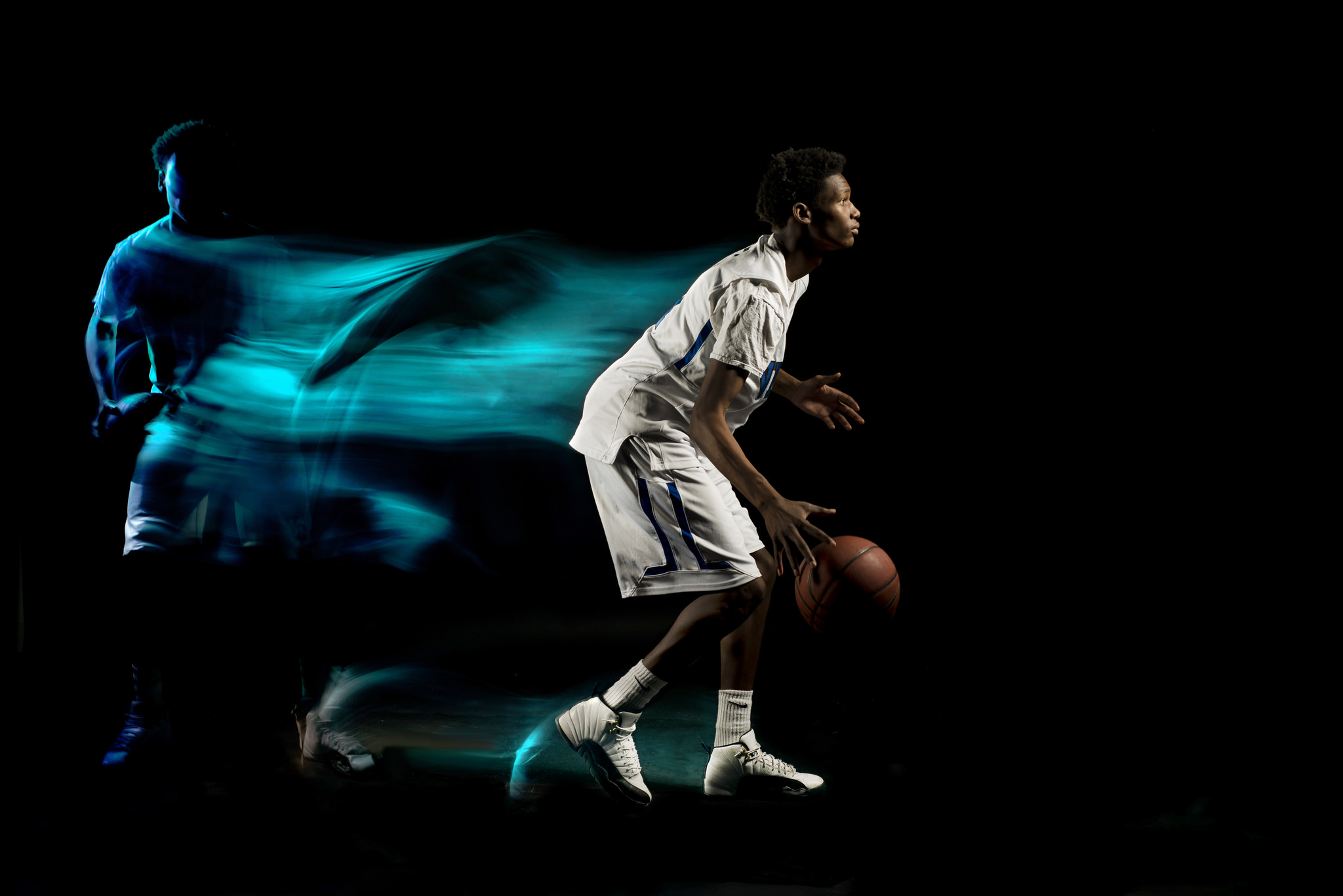
Recently Photographer Erik Christian shared these really cool Light Painting Portraits that he created for the Varsity 845 All-Star Basketball teams. To create these images Erik used a mix of constant light covered with colored gels matching the team’s colors and the pop of a couple of off camera strobes to freeze the motion of the athletes. Check out the images and the behind the scenes video below showing just how these perfectly executed Light Painting Portraits were created.


Filed Under: Light Painting Photography, Light Painting Video

International Light Painting Awards 2016

April 12, 2016 by Jason D. Page

International Light Painting Awards 2016

Its time to get your creative juices flowing, on April 15 the submission process for the greatest Light Painting Competition in the world begins! April 15, The International Light Painting Awards created by Jan Leonardo will start taking submissions for your chance to win some incredible prizes worth over 10,000 Euros! Some of the prizes include a Sony A7R II + Lens, a Carl Zeiss Milvus Lens, a LedLenser Light Kit, Hahnemuehle Fine Art Inkjet Paper Set, Light Painting Brushes & Coast Light Painting Kit, Manfrotto Carbon Fiber Tripod and Head, and Lucoit Filter Set.

Judging by all of last years winners, to win these prizes you are going to have to create your best work.

Here is this years Jury that consist of some of the best Light Painters on the planet and Photography Industry heavyweights.

Artist Jury
– Eric Paré – LP Artist/ Canada,
– Xiao Yang – LP Artist/ China
– Mart Barras – LP Artist/ UK
– Palateth – LP Artist/ Belgium
– Gus Mercerat – LP Artist/ Peru-Germany
– Jeswin Rebello – LP Artist/ India
– Ivan & Javier – Rider of Light / LP Artist/ Spain
– JanLeonardo – Promoter of the ILP Award/ Germany.

Grand Jury
– Jörg Schmale – photokina Project Manager/ Germany
– Christian Schulte – Marketing Director LedLenser/ Germany
– Martin Breutmann – Publisher Foto Forum/ Germany
– Lichtfaktor – LP Stop Motion Masterminds/ Germany
– Julien Breton – Light Calligraphy Master/ France
– Eric Staller – Father of modern Light Painting/ USA
– Tokihiro Sato – Japans Famous Photographer/ Japan
– Lightmark – World LP Nature Photographers/ Germany
– Rainer Opolka – Father of Led Lenser Torches/ Germany

Make sure to head over to LP-AWARD.com for all the info beginning April 15th!

Filed Under: Light Painting Photography

Eric Paré KHAOS LP

March 23, 2016 by Jason D. Page

Light Painting Eric Pare KHAOS LP

Eric Paré has just released another awesome light painting video project called KHAOS LP. This short video was all lit by hand in one night using a single flashlight and a 4×6 plexi blade. Prepare your eyes for 30 seconds of Light Painting KHAOS… For the full story check out Eric’s Site HERE

Eric says” We’re proud to release today KHAOS LP (the light-painting mashup of the short film KHAOS) as well as the first online version of of the original short movie itself, after a succesful presentation at Les Rendez-vous du Cinéma Québécois. The light-painting part has been all shot in one crazy night at my studio with 32 cameras and an acrylic plate. Everything is lit by hand in one second. The stop-motion is created one frame at a time by carefully changing pose by about one inch between each shot. I managed to completley disapear by wearing my black ninja costume.”

The 360 degree stop-motion technique I’m doing is fully explained in my short documentary LightSpin.

Synopsis
The paths of Nicholas, Judith and Clara cross accidentally inside a hotel room. A no man’s land which is the gateway to another dimension. The darker side of the psyche, this dimension is where subconscious nightmares and fantasies become real.

KHAOS LP credits:
Project director – Kays Mejri
360° bullet-time light-painting – Eric Paré
Video editor – Ange Amargier
Actors – Julian Fiset, Melissa Paulson, Hannah Dorozio
Original soundtrack – Anonspeak
Art director – Jessica Surendorff

Filed Under: Light Painting Photography, Light Painting Video

Light Painting Photography Contest Entries, March 2016

March 23, 2016 by Jason D. Page

Light-Painting-Contest-00-March-2016Here are the entries for the March 2016 Light Painting Photography Contest. Everyone PLEASE VOTE in the comment section of this page to pick your top 3 images, the images all have a number in the title (EXAMPLE… IF ONE OF YOUR FAVORITES IS THE IMAGE TITLED “Light Painting Contest 08 March 2016″ THEN YOU SHOULD PUT THE NUMBER 8 AS ONE OF YOUR CHOICES). Please remember that the theme of this contest was Urbex this means that there should be some element of “the exploration of man-made structures, usually abandoned ruins or not usually seen components of the man-made environment”. Voters that do not include 3 unique choices in their post will not be counted. In other words no 1,1,1, or 5,5,5, or 7,7,7,…..Please pick your three favorite IMAGES based on the image alone.


The light painting photography contest series is sponsored by the best damn companies on earth COAST Flashlights, Neon Flexible, LED Flexible,and Light Painting Brushes ! Please support these awesome companies that support our light painting art from, without them this contest series would not be possible!
Light-Painting-Brushes-Banner

Filed Under: Light Painting Contest, Light Painting Photography

Light Lab, A Light Painting Project by Maria Saggese and Valeria Ricci

March 20, 2016 by Jason D. Page

logo

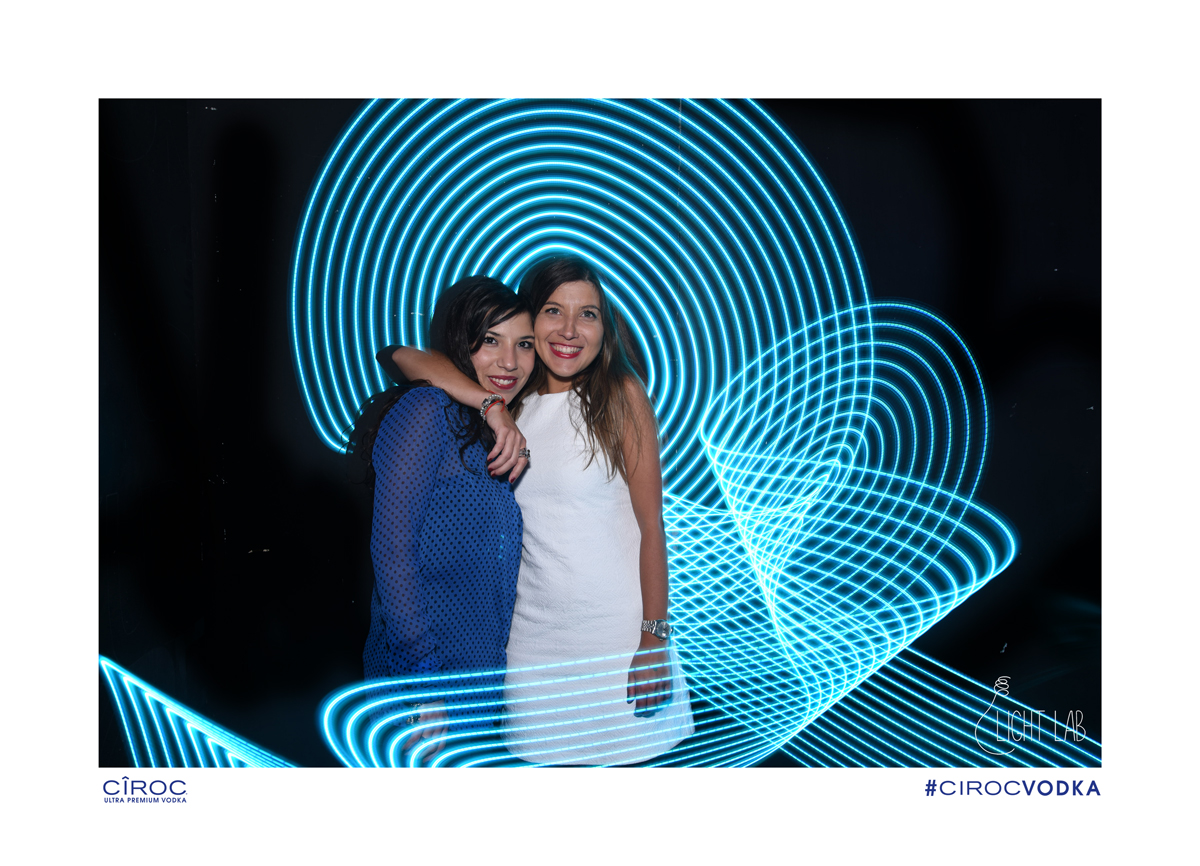
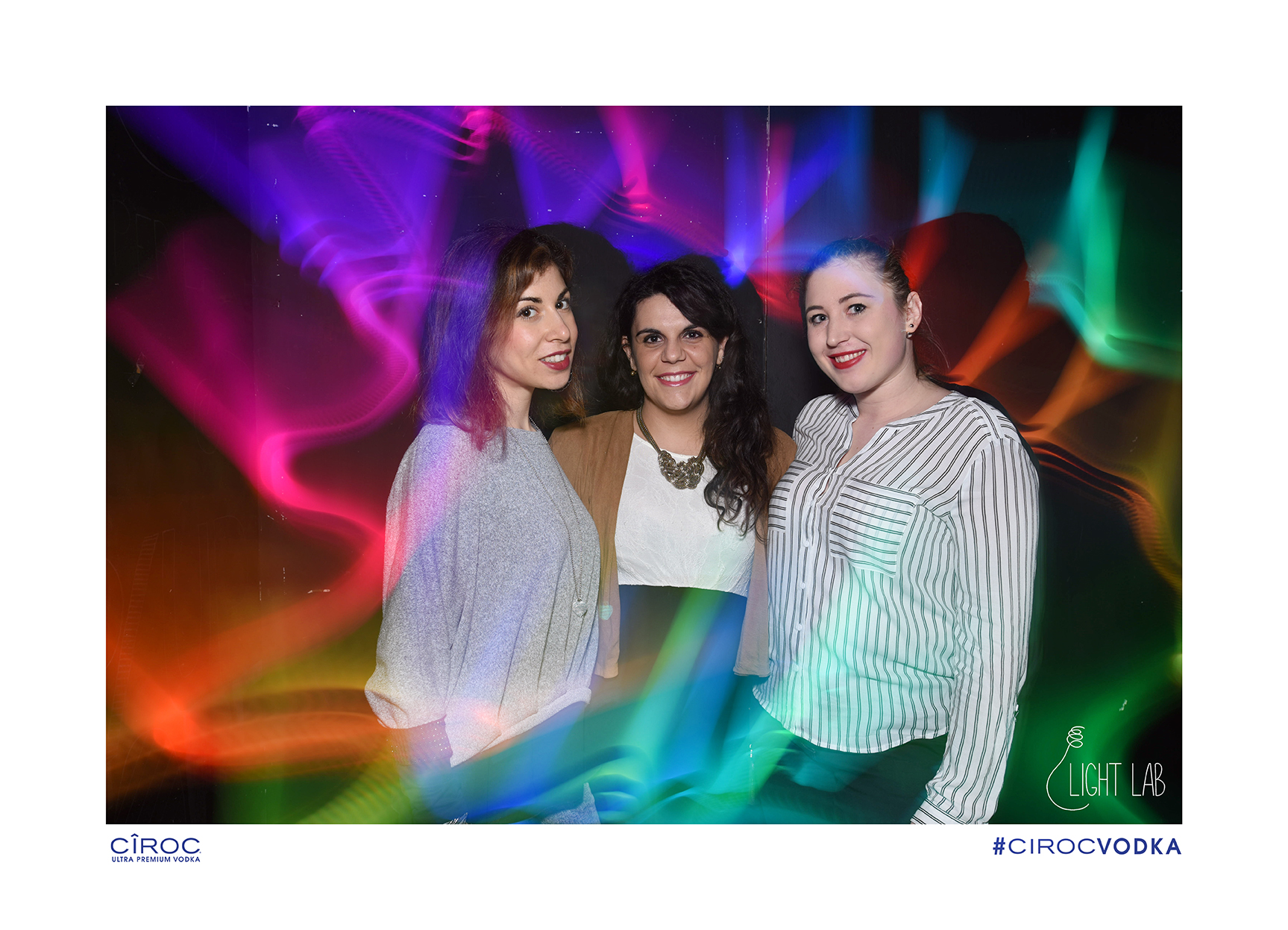
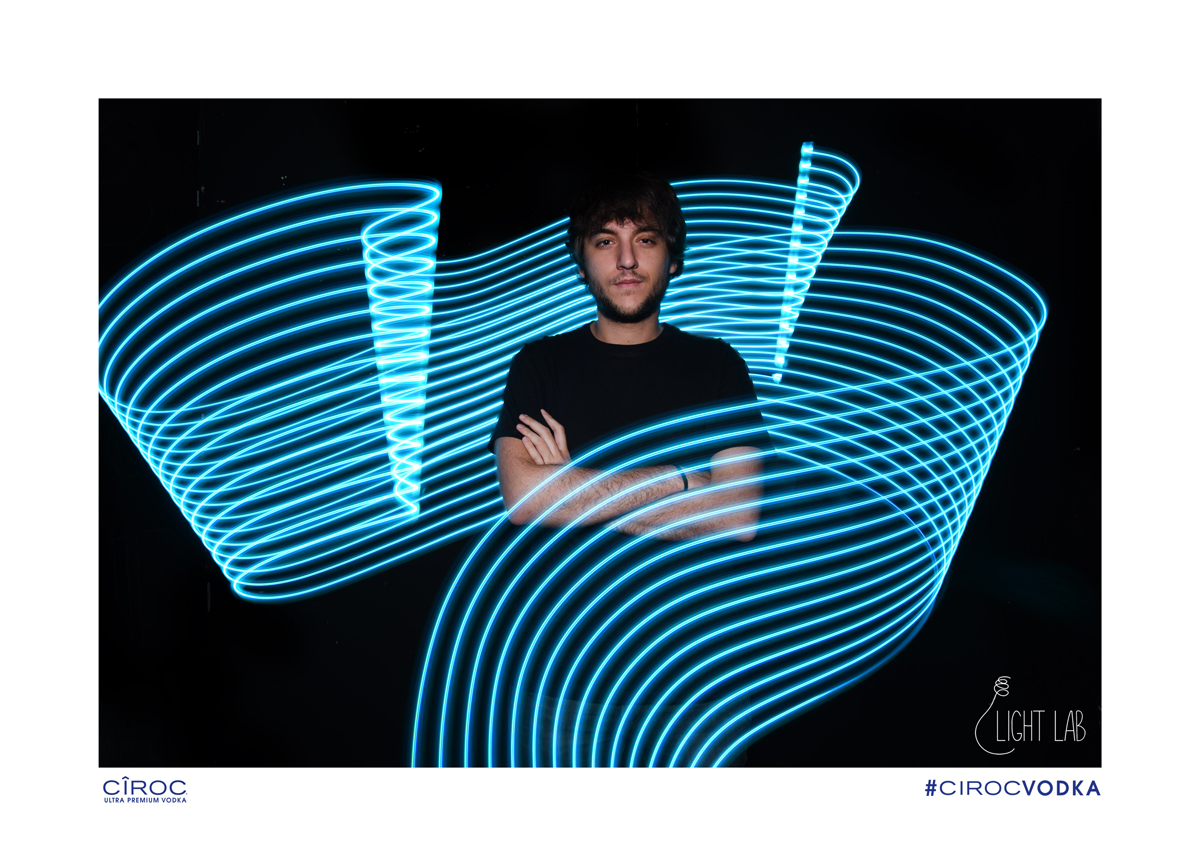
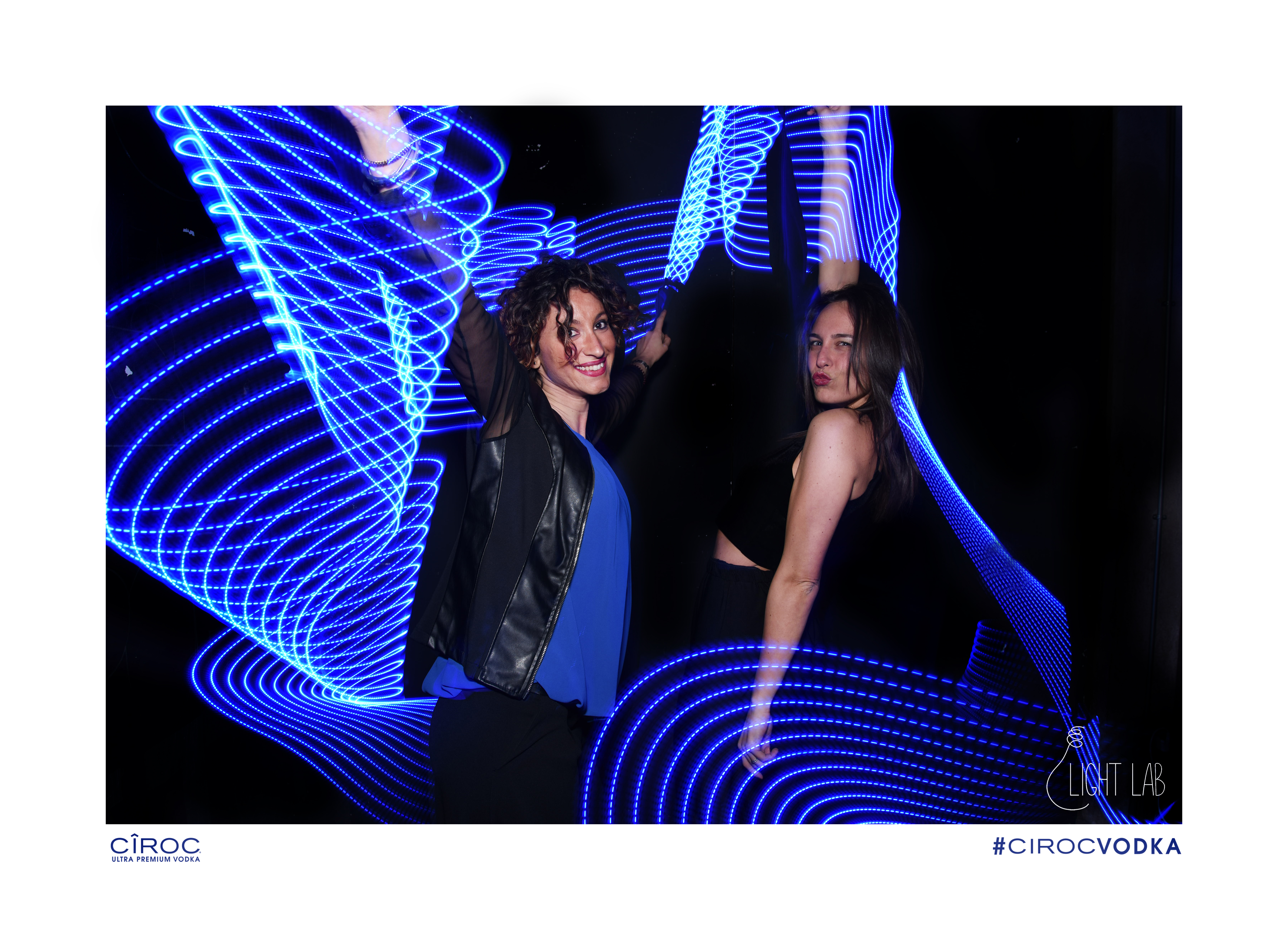
Light Painting Artist Maria Saggese and Valeria Ricci have started a new Light Painting project called Light Lab! As recent graduates of New Art Technologies at Academy of Fine Arts of Naples and Academy off Fine Arts of Brera (Milan) these two are on a mission to spread Light Painting throughout Italy! They have have already held Light Painting workshops and partnered with the major brand Cîroc Vodka to bring Light Painting photo booths to events! Lets show these ladies some support, Check out Light Lab on their website HERE, their Facebook Page HERE, and their Instagram Page HERE!


Filed Under: Light Painting Photography

Camera Rotation Light Painting Photography, A Comprehensive How To Guide.

March 12, 2016 by Jason D. Page

Camera Rotation is a Light Painting technique that falls into the category of Kinetic Light Painting. Kinetic Light Painting means that the lights in the scene generally stay stationary (although they don’t have to) and the camera itself is moved to create a design within the frame during a long exposure photograph. Camera Rotation is exactly what it sounds like. The camera, while attached to some sort of device, is moved in a 360º motion during a long exposure, This process can create absolutely mind boggling geometric madness from the most mundane of subjects. The history of this technique can be traced back to 1953 and image below from Photographer David Potts.
David Potts Hennessy Neon Signs Piccadilly Circus London

David was widely recognized for his black and white documentary style photography when he began creating his colorful works. David said “Very simple. I wanted to explore what the available colour films would do.” These works slightly predate the elegant colourist compositions of legendary fellow LIFE photographers such as Ernst Haas. In his 1953 image Potts transforms the familiar London landmark into a swirling mandala of colour. “I had a Linhof 5×4 view camera I had bought from Max Dupain with a [film] back that rotated 360 degrees. I simply wanted to see what using the camera’s movements – turning the film around – would do [to Piccadilly Circus] during a long exposure.” (source)

Jump forward 63 years to now and this technique is still pretty rarely used. For this article I interviewed, Juls Boo, Jelle Schuurmans, Chris Thompson, and Johnny Dickerson a few of the Light Painters currently pioneering this lesser known technique to see exactly how they are creating their incredible Camera Rotations. Each of these Light Painting artists shared advice, the gear they use, and even walk us through how they created their favorite images so if you are inspired or gain some knowledge please let them know with a high five, a follow, and/or a thank you.

(NOTE: As with the Lens Swap article the information in the first portion is an abbreviated and combined version of the answers given by the Light Painting Artist listed above. At the bottom of the page you can read the full interview answers from each Light Painter)

INSPIRATION:
First let me give a little background of how each of these Light Painters started creating these types of images. Juls and Jelle both started rotating their images in 2012. Chris began creating his camera rotation light paintings in 2013 and Johnny in 2014. The inspiration to start doing camera rotations for both Jelle and Jules came from necessity. Juls lives in Paris, which is a pretty bright city, the lack of dark areas was forcing him to look at spaces differently to create his light paintings. While walking around the city one night he was struck with inspiration of creating rotated images.
Juls Boo IMG_8665

Jelle’s inspiration was also born from necessity in that he had visualized an image that he wanted to create, but didn’t know how to do it. He was experimenting with double exposures when he got the idea for “Tunnel Frenzy”. To create the shot below he had to find a way to rotate the image around the lens axis to get this effect he wanted, so he began experimenting eventually coming up with a rig that allowed him to realize his vision.
Jelle Schuurmans Tunnel Frenzy

Chris and Johnny both drew their inspiration from the work of Juls and Jelle. Chris says “I saw a rotated image on Flickr by Juls Boo which I found absolutely fascinating and quite literally ground breaking for me.  It resonated with me and my light painting ‘style’ I was using at the time.” Johnny was first inspired by Jelle’s Tunnel Frenzy shot he says “I was first inspired by Jelle Schuurman’s “Tunnel Frenzy” and having no clue how he lined the train tracks up so perfectly. Johnny was also inspired by Chris Thompson’s early work “with the CRT of just random things around town had me wondering how he did it.”

GEAR:
The tools for creating camera rotations for these 4 artist vary greatly. Juls and Jelle are using custom built CRT’s (Camera Rotation Tools) while Chris and Johnny are shooting with more off the shelf solutions. In true Light Painting innovation Juls took a bike from the trash and turned it into a device to rotate his camera.
Juls CRT IMG_0297

Jelle created his CRT (Camera Rotation Tool) from an industrial ball bearing and some strips of aluminum.

Camera Rotation Tool Light Painting Tutorial

If you don’t have the tools, space, time, or knowhow to build yourself one of these rigs thankfully there is a off the shelf solution! Chris and Johnny both use the Beike BK45 Tripod Gimbal that is intended for sports and wildlife photographers using long lenses. By simply turning your camera the tripod gimbal can be used for Camera Rotation.

Johnny Dickerson IMG_3093

GETTING STARTED (What to Shoot):
So lets say you have built yourself a rig or bought yourself a tripod gimbal now what? Well you need to find yourself something to shoot. Some of the favorites subjects of these artist are tunnels, bridges, and other everyday objects such as a corner of a building or angular architecture. One of the main things that all of these artist recommend looking for is something that is illuminated and surrounded by dark space. For instance a bridge, pier, or corner of a building. All of these make for incredible subjects for camera rotation, and believe me once you start rotating your camera you will look at the world through different eyes!

Camera Rotation Light Painting Tutorial

LEVEL IT OUT:
Lets say you have found the perfect subject to shoot the next thing you want to do is get everything level. When you set your tripod up you want to make sure that your legs are locked down tight and all the bubble levels are centered.

FINDING CENTER:
Generally speaking you want the camera to rotate around the center axis point of the camera lens. This can be difficult to get exactly right and is not as simple as centering the camera so don’t get frustrated. It is a mostly trial and error process but once you find the center point of a particular lens you can make some marks on your device and tripod to make it easier to find on your next outing.  Below Johnny shows us exactly how he finds center using his Gimbal:

“Luckily my Canon 60D has a flip out screen which makes it easier to see the screen to find the center of the image. I moved the camera up and down until the lens appears to line up with the knob on the Gimbal.”
Johnny Dickerson IMG_3092After spending an evening in my living room using Live View and aiming the camera at the lights on my internet modem, I found the center of the lens is just to the left of the white line of my level in Live View.
Johnny Dickerson IMG_3095With a silver Sharpie I marked the placement of the Gimbal whenever I choose to take it off, I can place it right where it was previously.
Johnny Dickerson IMG_3097Now when I prepare to shoot I use the Live View to adjust where the center of the frame will be.

This is a great way to make sure you are finding center however also keep in mind what Jelle says “My CRT is not perfectly centered at all, and in a way this is something I thought would be a problem, but I found out that a bit off center CRT can give different cool looking patterns compared to a perfectly centered CRT.

SHOOTING AND EXPOSURE:
Now you are ready to shoot. What you need to do is find the proper exposure for your scene, an important thing to remember is that bright spots that overlap will tend to over expose because you are basically doubling up on the amount of light hitting that part of the film or sensor. If you have lots of overlapping bright spots you might need to stop down to find the right exposure for your rotation as your camera is accumulating light. A proper exposure for a static shot might be too bright for a rotation.

Once you have your tripod level, you have found the center point of your lens, and the proper exposure its finally time to start rotating!

There are a few different techniques to rotation the first is simply open the shutter and start spinning, this will create a trail of lights like the image below.

Jason-D.-Page-Light-Painting-Liquor-Store

I spotted the Liquor Store on a road trip and thought it would make for a cool rotation because it was illuminated, on a corner, and it also was surrounded by dark space. I simply open up the shutter of the camera and started rotating.

GETTING PRECISE ANGLES:
Another technique is all about angles. For this rotation you will need some way to measure precise angles during the rotation. For instance say you want to have a 8 stop rotation that means you are going to stop the rotation every 45º. There are a few ways to do this. If your camera has a built in electronic-level/virtual-horizon like Jelle’s D750 then you can use that. If you don’t have a level built in you can attach a Angle Finder like Johnny’s here:

Johnny Dickerson IMG_3090

Or you can use your cell phone with a digital level app attached via the hot shoe mount like here:
Jason-Page-CRT

Once you have a way to measure your angles you can then stop the rotations exactly where you want making precise movements and geometric pattern in your images. To make images like the examples below you will also need to cover your lens between the rotations. To begin start the exposure with the lens covered at 0º take the cap off and expose for the predetermined amount of time for a proper exposure (say 5 seconds), put the cap back on turn the camera to 45º remove the cap for another 5 seconds replace the cap, rotate and repeat the process for the full 360º rotation. Using the same Liquor store as an example from above these are some different rotations using the lens cap technique stopping on different angles and distances.

Light-Painting-Jason-D.-Page-Liquor-Store

And here are a few more examples of this technique from Johnny, Jelle, Chris, and Juls.

Camera Rotation Light Painting Tutorial

I hope this has given you enough information to get started. Camera rotation is a very rewarding form of Light Painting Photography, the process can create stunning images out of a simple subject. I hope you will give it a try. Some advice from these artist is to be patient, persevere, think outside the box, and just make your life easy and buy a gimbal…

For the next section each of the artist is going to talk about how they created their favorite camera rotations, at the very bottom of the page you can read the full interviews from each artist for even more detailed information.


Chris Thompson Peak-District-CRT-rfs

Chris Thompson
My favorite so far has been during a collaborative shot with another light painter, Tim Gamble, using two tripods.  The main subject in this case, Tim, was focused and composed on Tripod 1 without a CRT, noting focus point, focal length and Tim’s positioning for later.  The camera is then transferred to Tripod 2 with a CRT, this one is then aimed off centre so that the centre of the subject is on the left hand third of the frame when the camera and tripod 2 are located on the right of centre.  This may sound complicated but all we then do is open the shutter on Tripod 2 and rotate the CRT while I spin an LED lit acrylic tube in a drill at the same time for one full 360 degree revolution on the CRT.  The lens cap is then placed on and the camera moved back to Tripod 1, adjusting the previously noted focus, focal length and making sure Tim is on his marker.  I then spin steel wool on a drill behind Tim with more LED lights in the mix.  Hope this hasn’t confused anyone!


Juls Boo IMG_2569

Juls Boo:
I love this picture because in it there are all the ingredients I like in light painting. A pinch of urban exploration, light buddies and an environment favorable to share our passion for the light.

This image was shot during a night in a former paper mill. I was with Alexis Pichot and Stéphane Babatasi, I set up my Gyrocam with an old control array of a huge machine in the center of my frame, slightly on the left. Then I show my buddies where we can stand up and each one of us take part in this image by posing and by illuminating. The center of the frame is a little lower than the feet of the models, so they are no overlay.

When illuminating you need to stay focus on the subject and the remaining part of the picture should not be too bright because of the overlays.

Johnny Dickerson IMG_1925

Johnny Dickerson:

My favorite so far has been a carnival ride called “Fireball”. Being a ring of light, I was hoping by rotating it 6 or 8 times it would resemble an atom. It didn’t disappoint! I aimed the center of the lens near the edge of the ring of light. I exposed it for about 5 or 6 seconds (counting in my head), lens cap, then adjust the Gimbal 45 degrees then repeat, giving me an 8 way rotation. It ended up being about a 3 minute exposure (in the middle of a crowded Fair) but it was well worth it!


Jelle Schuurmans Tunnel Frenzy


Jelle Schuurmans

My own personal favorite is one of my very first ‘real’ CRT shots I did in 2012, this was the first time it worked out just like I had in my mind and planned.

4 way rotation, 5 exposures in total. 4 times lighting up the inside of the tracks with green, and 1 time with light blue light for the silhouette in the back and spill light on the outer sides of the tracks. The orange is from the street lights above this tunnel.

1- I start with lining up the normal horizontal shot. In this case I set the center focus point on the horizon where the two tracks meet. This will be the overall center rotation point of the final image. I use live-view to check the alignment of the setup by rotating the camera while using a flashlight to light up the scene.

2- Now I set the main camera settings, usually ISO 100 and Aperture 8-11. I do some test shots on how long I have to light up the insides of the tracks with a green flashlight, 10 seconds in this case.

3- Open shutter.

4- Use green flashlight, after 10 seconds I put the lens cap back onto the lens. Now I rotate the camera 90 degrees. Remove the lens cap and expose for another 10 seconds using the green flashlight and put lens cap back on the lens. Repeat this 2 more times. In total you rotate the camera 4 times, ending back in the same position as the first shot. So you will have the base starting exposure, plus 3 exposures each 90 degrees rotated. Put lens cap back on the lens after the last 10 second exposure.

4- Position the camera horizontal again (that was the last rotation). Remove the lens cap for a 10 seconds exposure of a person standing on the tracks, back lit with a blue flashlight. Put lens cap back on the lens.

5- Close the shutter.

6- Check the final image.


FULL INTERVIEWS HERE:

LPP ∇ How long have you been doing Camera Rotation Light Paintings?

CT ∇ I started experimenting with the technique around the end of 2013.

JULS ∇ I started in 2012, but with just a rotation angle of 90°, at that time I was using rotation only with my tripod head, associated with some zooming. At the end of the year I did a picture of the Tour Eiffel I liked it very much and I thought about building something that could rotate 360°.  I don’t have any tools and any competence in engineering I was looking for something simple. From time to time I was thinking about it. In 2013 I built my tools, I called it “gyrocam” from Ancient Greek “gyro” https://en.wiktionary.org/wiki/gyro-

JD ∇ Since the beginning of 2014

JS ∇ In October 2012 I build my own custom CRT
LPP ∇ How did you get started, what was the inspiration? Was there an image in your head that you wanted to make or did you just stumble into by some divine fate?

CT ∇ I saw a rotated image on Flickr by Juls Boo which I found absolutely fascinating and quite literally ground breaking for me.  He may not have been the first to make an image like this but it certainly resonated with me and my light painting ‘style’ I was using at the time.

JULS ∇ Since I live in a very bright city I was often disappointed by the few dark places I can found, so I looked for another technique to do light painting. I get my inspiration from experimenting when I walk at night in Paris.

JD ∇ I was first inspired by Jelle Schuurman’s “tunnel frenzy” (https://www.flickr.com/photos/jelle-s/8139659777/in/dateposted/), and having no clue how he lined the train tracks up so perfectly. Then Chris Thompson’s early work with the CRT of just random things around town had me wondering how he did it. And then the mind blowing shots of Tim Gamble can provide inspiration for any light painter! I’m not so mechanically inclined so once I heard someone say the “Gimbal Tripod Head” works very similar I bought one right then and there!

JS ∇ I was experimenting with double/multi exposures and then I got this idea of a possible shot (“Tunnel Frenzy”) a ‘tunnel with railroad tracks, but then with tracks on the sides and ceiling as well’. I knew I had to find a way to rotate the image around the lens axis to get this effect I wanted, so I started building and experimenting, what ended up in my custom built CRT. After a few test shots with it I finally created that shot I had in my mind, “Tunnel Frenzy”, so I was very happy with this result and that inspired me to continue and experiment even more with light painting photography and tools like the CRT.


LPP ∇ What gear are you using? Gimbal, CRT, or something different?

CT ∇ I am currently using a Beike BK45 Gimbal, a device intended for sports and wildlife photographers.  When I first started out on the rotation journey, I developed, with my brother’s help, a camera rotation tool.  We made several versions, some really “Heath Robinson” contraptions looking back but we finalized a design we were happy with.  For me, my CRT is still the best way to rotate an image.

JULS ∇ I use a trash bike found in the street… During year 2013 I improved it but it’s still the pedaling mechanism of an old bicycle. I mount on it a tripod ball head.

JD ∇ I use a Gimbal Tripod Head.

JS ∇ Custom build CRT, from a heavy duty ball bearing and some metal/aluminum strips. Later I’ve added two heavy metal parts to get it stable and for a more smooth rotation effect.


LPP ∇ I find the most difficult part is finding the sweet spot to get an image centered, how do you get your images centered? Are there any tip you can share?

CT ∇ To start off with an evening’s camera rotation, I fix the camera and align by eye and take a test shot or two and adjust accordingly.  A CRT is maybe not a device for someone with OCD!  On my CRT, I have etched a line on the camera support plate meaning that I am more or less calibrated right away.  In the past, I have used a spacer such as a block of wood milled to the right size and place it along the back of the camera’s LCD screen and align from there.

JULS ∇ I give a try and after a look on the camera back screen I adjust.

JD ∇ Luckily my Canon 60D has a flip out screen which makes it easier to see the screen to find the center of the image. I moved the camera up and down until the lens appears to line up with the knob on the Gimbal.  After spending an evening in my living room using Live View and aiming the camera at the lights on my internet modem, I found the center of the lens is just to the left of the white line of my level in Live View. With a silver Sharpie I marked the placement of the Gimbal whenever I choose to take it off, I can place it right where it was previously. Now when I prepare to shoot I use the Live View to adjust where the center of the frame will be.

JS ∇ My CRT is not perfectly centered at all, and in a way this is something I thought would be a problem, but I found out that a bit off center CRT can give different cool looking patterns compared to a perfectly centered CRT. So in my case I takes more time to align and center and set the right position of the CRT, but nothing that a bit of trial and error cant fix. Otherwise I just go for it and see what happens.


LPP ∇ How do you get everything level, are there some tricks or tips that you can share?

CT ∇ I start by making sure the tripod is level on the spirit level bubble and the legs are locked tight, not likely to move etc.  Before I align the CRT I make sure the camera itself is level using the built in level meter.  Not every camera has a built in level gauge so I find it best to use a smartphone.

JULS ∇ I have enough place to use a tripod ball head to adjust my camera on my pedaling mechanism. Coupled with an old Pentacon 135mm (216mm with my APSC) it’s easier to calibrate exactly my tool and to put the rotation center at the frame center. After calibrating it I often use a wide angle lens.

JD ∇ I use an Angle Finder. They are about $8 at your hardware store. It has an magnetic base which is good, but once you start rotating it around you have to readjust it accordingly. There are apps out there for your phone (clinometer on Android), but I can’t mount it to my camera as it would clip the Gimbal on the 180 degree mark. There are digital angle finders out there as well but they are a little more expensive than what I use. Also wide angle lens tend to be the best. I use a 14mm Rokinon which is also good for rotating because I can lens cap between each rotation and not interfere with the focusing.

JS ∇ My D750 has a built-in electronic-level/virtual-horizon what can be really useful for CRT use. On my old D90 I used a spirit-level connected to the hot-shoe. Besides this I do several test shots in all directions to see if everything is level enough


LPP ∇ What do you use to get precise angles? Is it an app on your phone, a actual level or something different?

CT ∇ I fix a smartphone such as an iPhone / iPod / Android device to the top of the hotshoe on the camera with a couple of cheap gadgets available off eBay.  These smartphones usually have an angle gauge which is accurate enough for the job.  Personally I use an old iPod touch rather than my big expensive iPhone 6s Plus!

JULS ∇ I’m not looking at precise angle, I can only stop my tool with 6 different angles… Since long I have in my mind an idea to improve this but I’m still procrastinating.

JD ∇ Same as above but depending how I want to rotate a subject, I have to split the rotations within 360 degrees. For example a rotation of 4 is every 90 degrees, a rotation of 6 is every 60 degrees.

JS ∇My D750 has a built-in electronic-level/virtual-horizon what can be really useful for CRT use. On my old D90 I used a spirit-level connected to the hot-shoe. During exposure I use small markings on my CRT to know where I have to lock the CRT for the different exposures.


LPP ∇ What is your favorite “Thing” to do a camera rotation of?

CT ∇ I usually prefer to go shooting CRT in city environments and try not to go for the “obvious”.    I look for everyday objects such as a corner of a building or angular architecture and rotate it.  I also like to combine zoom pulling with the CRT at various angles, proper kinetic photography in my opinion!

JULS ∇  I did a lot of tour Eiffel and urban landscape but in fact I prefer the way it looks with people. I realized some family portraits.

JD ∇ Obviously! Light Paint with it! (see img_1824)

JS ∇ I am always in search of the next (personal) thing/effect/challenge so I don’t have one favorite thing to CRT, but I guess my own favorite CRT shots are with tunnel/bridges and the depth and leading lines it can create.


LPP ∇ I know since I started doing these a year or so ago I look at things completely different now. Is there something specific you look for when looking for a place or object to shoot for a camera rotation?

CT ∇ I like to shoot in areas where there may be lights surrounded by dark areas in order to create a cleaner CRT image.  I tend to aim for a corner of a building where I can only see a small amount of subject in the viewfinder and keep all the other areas in the frame dark so I don’t “light paint” or overexpose that part of the frame during the rotation process.

JULS ∇ When I’m in town I pay attention to keep a small dark place in my frame to include “traditional“ light painting. It’s easiest when it’s at the center of the frame since the camera will turn around.

JD ∇ I would say there has to be something bright surrounded by a dark space. So that way, when you rotate the frame the light area will overlap on top of the dark area i.e. campfire and city skylines.

JS ∇ For me a CRT is a tool just like any other, it all depends and how you use it, sometimes the most crazy or weird ideas have the best effect so trying to have an open mind and thinking outside the box is key.


LPP ∇ What is your favorite Camera Rotation that you have ever created and can you walk us through step by step how you created this image?

CT ∇ My favorite so far has been during a collaborative shot with another light painter, Tim Gamble, using two tripods.  The main subject in this case, Tim, was focused and composed on Tripod 1 without a CRT, noting focus point, focal length and Tim’s positioning for later.  The camera is then transferred to Tripod 2 with a CRT, this one is then aimed off centre so that the centre of the subject is on the left hand third of the frame when the camera and tripod 2 are located on the right of centre.  This may sound complicated but all we then do is open the shutter on Tripod 2 and rotate the CRT while I spin an LED lit acrylic tube in a drill at the same time for one full 360 degree revolution on the CRT.  The lens cap is then placed on and the camera moved back to Tripod 1, adjusting the previously noted focus, focal length and making sure Tim is on his marker.  I then spin steel wool on a drill behind Tim with more LED lights in the mix.  Hope this hasn’t confused anyone!

JULS ∇ I love this picture because in it there are all the ingredients I like in light painting. A pinch of urban exploration, light buddies and an environment favorable to share our passion for the light.

This image was shot during a night in a former paper mill. I was with Alexis Pichot and Stéphane Babatasi, I set up my Gyrocam with an old control array of a huge machine in the center of my frame, slightly on the left. Then I show my buddies where we can stand up and each one of us take part in this image by posing and by illuminating. The center of the frame is a little lower than the feet of the models, so they are no overlay.

When illuminating you need to stay focus on the subject and the remaining part of the picture should not be too bright because of the overlays.

JD ∇  My favorite so far has been a carnival ride called “Fireball”. Being a ring of light, I was hoping by rotating it 6 or 8 times it would resemble an atom. It didn’t disappoint! I aimed the center of the lens near the edge of the ring of light. I exposed it for about 5 or 6 seconds (counting in my head), lens cap, then adjust the Gimbal 45 degrees then repeat, giving me an 8 way rotation. It ended up being about a 3 minute exposure (in the middle of a crowded Fair) but it was well worth it!

JS ∇ My own personal favorite is one of my very first ‘real’ CRT shots I did in 2012, this was the first time it worked out just like I had in my mind and planned.

https://www.flickr.com/photos/jelle-s/8139659777

4 way rotation, 5 exposures in total. 4 times lighting up the inside of the tracks with green, and 1 time with light blue light for the silhouette in the back and spill light on the outer sides of the tracks. The orange is from the street lights above this tunnel.

1- I start with lining up the normal horizontal shot. In this case I set the center focus point on the horizon where the two tracks meet. This will be the overall center rotation point of the final image. I use live-view to check the alignment of the setup by rotating the camera while using a flashlight to light up the scene.

2- Now I set the main camera settings, usually ISO 100 and Aperture 8-11. I do some test shots on how long I have to light up the insides of the tracks with a green flashlight, 10 seconds in this case.

3- Open shutter.

4- Use green flashlight, after 10 seconds I put the lens cap back onto the lens. Now I rotate the camera 90 degrees. Remove the lens cap and expose for another 10 seconds using the green flashlight and put lens cap back on the lens. Repeat this 2 more times. In total you rotate the camera 4 times, ending back in the same position as the first shot. So you will have the base starting exposure, plus 3 exposures each 90 degrees rotated. Put lens cap back on the lens after the last 10 second exposure.

4- Position the camera horizontal again (that was the last rotation). Remove the lens cap for a 10 seconds exposure of a person standing on the tracks, back lit with a blue flashlight. Put lens cap back on the lens.

5- Close the shutter.

6- Check the final image.

From my more recent CRT work I like this one a lot, it’s a pretty tricky shot to setup/lineup and I had to come up with to me new technique for creating the “double exposed door effect”

https://www.flickr.com/photos/jelle-s/20807079871


LPP ∇ What is the best piece of advice you can give for someone wanting to give the form of Kinetic Light Painting a try?

CT ∇ My current thinking is that both camera and subject should move during the exposure, the effects can be quite radical and unexpected.  That makes it all the more fun for me!

JULS ∇ This is a creative discipline, it changes the way of seeing our environment. It may seem difficult at first but by persevering it quickly gets interesting results. Simply give it a try!

JD ∇ I would say be patient! It can be labor intensive and easily multiply the length your light paintings, but the finished result will be worth it

JS ∇ Invest some money and buy a Gimbal to begin with (just a cheap one will do just fine) and just start experimenting with it, no rules, no right or wrong, just see what you can come up with and try to go from there.

Filed Under: Light Painting Photography

Half Pix Stick, PixelStick Hack by John Griffin

March 9, 2016 by Jason D. Page

Light-Painting-Johnny-Griffin-01

Getting ready for a night of Light Painting takes a little bit of work and it takes some preparation. We have all been there, getting ready for a night out and now we need to decided what tools to bring. The fact is, the easier our Light Painting tools are to use the more likely we are to use them. Take the PixelStick, arguably the most technically advanced light painting device created to date, however this tool takes a tiny bit of work to set up. I know there are a few of you PixelStick owners that have left this light painting tool behind because you didn’t want to have to tighten down those screws and put that “thing” together. Well fear the screw twisting and plugging cables no more because John Griffin, creator of the SpiroJib, has shared a clever “Hack” to make a PixelStick ready to use right out of the bag. Check it out below…

Here are a few shots Johnny created recently while sharing the Light Painting Art Form with his local School.


Filed Under: Light Painting Photography, Light Painting Video

« Previous Page
Next Page »

Copyright © 2026 · News Pro Theme on Genesis Framework · WordPress · Log in