Light Painting Photography

For the promotion and progression of Light Painting Art and Artist.

  • Home
  • Blog
  • History
  • Artists
    • Dean Chamberlain
    • Eric Staller
    • Susan Sims-Hillbrand
    • Vicki DaSilva
    • David Lebe
    • Troy Paiva
    • Bruno Mesrine
    • Chanette Manso
    • Patrick Rochon
    • Aurora Crowley
    • LAPP-PRO
    • JanLeonardo
    • Lightmark
    • Arturo Aguiar
    • Pete Eckert
    • Trevor Williams
    • Michael Bosanko
    • Jason D. Page
    • Nocturne
    • Brian Hart
    • Jeremy Jackson
    • Janne Parviainen
    • Jadikan-LP
    • Dana Maltby
    • Lichtfaktor
    • Dennis Calvert
    • TigTab
    • Hannu Huhtamo
  • Tools
    • Light Painting Brushes Starter Kits Introduction
    • Fiber Optics Light Painting Tools for Photography
  • Tutorials
    • Beginner Light Painting Tutorials
    • Light Painting Tutorials by Artists
    • Light Painting Tool Tutorials
    • Kinetic Light Painting Tutorials
    • Light Painting with Fire Tutorials
    • How To Light Paint A Flower
    • Light Painting Photography Tutorial: The Spiked Orb
    • How To Light Paint a Faberge Orb!
    • No More Orb Feet – Light Erases Darkness
    • The Tinfoil Light Painting Technique
    • How To Light Paint A Ghost
    • Electric Orb Light Painting Tutorial
    • Spirographs and Physiograms Tutorial
    • On Camera Light Source
    • Off Camera Light Source
    • Orb Techniques
    • Steel Wool Tutorial
    • Custom White Balance
    • Omnidirectional Light Cap
    • Gel Holder
    • Simple Orb Tool
    • 4 Ways to Add Color to your Plexiglass Light Painting Brushes
    • Driving Shots at Night
    • Wire Wool Spinning
    • El Wire Tutorial
    • Light Stencils
    • Orbs
    • Dome Tutorial
    • Battery Operated Cathode
    • Light Wheel
    • Double Wheel
    • Fire Wall Tutorial
    • Fire Rain Tutorial
    • Smoke
    • How To Light Paint with the Polaroid One Step +
    • How To Focus In The Dark
    • Light Painting Tutorial The Peacock Technique
    • How To Shoot Defocused Fireworks Tutorial
    • Drone Light Painting Tutorial
    • Light Stencil By Trevor Williams
    • Andrew Whyte Dome Tutorial
    • Light Painting Workshop by Patrick Rochon
    • Rob Turney Refractographs
    • SpiroJib by Johnny Griffin
    • Lens Swap Light Painting Tutorial
    • Camera Rotation Light Painting Tutorial
  • Videos
    • Light Painting Documentaries
      • Jason D. Page Documentary
      • Ball of Light
      • Night Photography: Finding Your Way In The Dark
      • Lightpainted Reality
      • SeeMe | In Focus : Pete Eckert
      • Pete Eckert – Dancing on The Edge of Perception
    • Dean Chamberlain
    • Vicki DaSilva
    • Patrick Rochon
    • Lichtfaktor Light Painting Videos
  • Terms
  • Links
  • Connect With Us!
  • About
You are here: Home / Archives for Jason D. Page

Light Painting United We Stand

January 19, 2021 by Jason D. Page

Light Painting United We Stand

We are going to be uploading a lot more content to the Light Painting Photography YouTube channel this year so if you are not Subscribed yet please head over to the YouTube channel and click that little red subscribe button. In this Light Painting Video I show how I created the above image titled “United We Stand” For this image I used tools from Light Painting Brushes and Flashlights from Light Excursion. The settings were ISO100, F8, and the total exposure time was 522 seconds. Enjoy.

Filed Under: Light Painting Photography, Light Painting Tutorials, Light Painting Video

Light Painting Photography Contest Winner – January 2021

January 6, 2021 by Jason D. Page

December 2020 Light Painting Photography Contest The winner for the “Tree of Light” Light Painting contest is ROM Light Painting for this magical image created in 310 seconds using a variety of creative DIY light painting tools! Here is what Romain had to say about this magical work of art!

Concept:
I love making light paintings photos paying homage to nature. This is a big part of my works. I find it hard to do without her and I find her beautiful. Trees are very symbolic, they plant their roots deep in the earth, and grow ever higher, towards the sky. They represent life and also allow us to breathe. When I discovered light painting, in 2009, I also discovered the works of Michael Bosanko, who made magnificent images of light painting with trees of light. His photos intrigued me and inspired me a lot. I did many light trees in my works, but one of my better attempts is this one I think. I made this image in the south of France. This day (night), I met Philippe Reyne, a french photographer who lives near this place. He kept me company and we talked a lot at the same time. It was a great night because I made two of my best photos on this evening (joined with the cat near the tree).

Light Painting by Rom

Location:
Saint Joseph Sanctuary (Roussas – France) Technical details
Gear: Nikon D610, Nikkor 24/85mm F/3.5-4.5,tripod, IR remote
Camera Settings: F/7.1 ISO400
Exposure Time: 310 Seconds With a cold white balance.

Light Painting Tools:
For this photo I used different kind of lights: – To draw the tree: I used a white cold cathode tool (DIY). It’s a great tool that I use often but it is very brittle. I regularly change the cathode because I broke it regularly. You can do a similar light effect with a methacrylate (plexiglass) tube, but maybe less fine in the drawing.
I quickly turn the light on and off multiple time drawing in the same time. At first the roots, then the body, then branches. My body help me to know where and what part I draw.
– Greenery: Green laser with methacrylate (plexiglas) tip (DIY). Here again I turn on and off multiple times and move (fastly) at the same time into the part of light branches.
– Halo: EL Wire
– Little points or traits: Little keychain led
– Points on the ground: Light garland. I change it position and turn on and off multiple times.

If you would like to see more of Romain’s light painting photography please check out his Facebook, Instagram, and YouTube channel!

For this winning image Romain will receive a prize package filled with light painting tools and treasures from our sponsors COAST Flashlights, Neon Flexible, Rosco and Light Painting Brushes ! Please support these awesome companies that support our light painting art from, without them this contest series would not be possible! If you would like to enter the next Light Painting Photography contest click here for all the details.

Light-Painting-Brushes-Banner
Rosco Labs Logo

Filed Under: Light Painting Contest, Light Painting Contest Winner, Light Painting Photography

The Great Awakening Video Manifesto by Patrick Rochon

January 4, 2021 by Jason D. Page

The Great Awakening

Light Painting Photographer  Patrick Rochon took some time away from the digital world to dive deep into Light Painting. Focused on learning more about the deeper meaning of what it is that we, as Light Painting Artists, do. Patrick has created a meaningful new video Manifesto sharing some of what he has learned on his journey with LIGHT. I am sure you will find inspiration in this video, but I also hope you find inspiration in how Patrick gained this knowledge. Stopping and taking the time to think deeply into the medium of LIGHT is so important. Enjoy the video and you can also read more about Patrick’s journey here.

Filed Under: Light Painting Photography, Light Painting Video, Patrick Rochon Tagged With: Light Painting, Light Painting Video, Patrick Rochon

Light Painting Contest Entries, December 2020

December 23, 2020 by Jason D. Page

Light Painting Photography Contest Entires Here are the entires for the December 2020 Light Painting Photography Contest! The theme of this contest was “Tree Of Light” That means you could either create a tree out of light, light paint a tree or both! Everyone PLEASE VOTE for your 3 favorites in the comments section of this page! Please pick your TOP 3 favorite images and ONLY VOTE ONE TIME. Please pick the 3 different images you love based on the images alone and leave your selections in the comment section of this page. The images all have a number in the title (EXAMPLE… IF ONE OF YOUR FAVORITES IS THE IMAGE TITLED “December Light Painting Photography Contest 01″ THEN YOU SHOULD PUT THE NUMBER 01 AS ONE OF YOUR CHOICES). Voters must include 3 UNIQUE choices for your votes to be counted. In other words no 1,1,1, or 5,5,5, or 7,7,7,…..The voting will end 12/31/2020 at Midnight Eastern Standard Time, Enjoy.

December 2020 Light Painting Photography Contest
01
December 2020 Light Painting Photography Contest
02
December 2020 Light Painting Photography Contest
03
December 2020 Light Painting Photography Contest
04
December 2020 Light Painting Photography Contest
05

December 2020 Light Painting Photography Contest
06
December 2020 Light Painting Photography Contest
07
December 2020 Light Painting Photography Contest
08
December 2020 Light Painting Photography Contest
09
December 2020 Light Painting Photography Contest
10

December 2020 Light Painting Photography Contest
11
December 2020 Light Painting Photography Contest
12
December 2020 Light Painting Photography Contest
13
December 2020 Light Painting Photography Contest
14
December 2020 Light Painting Photography Contest

December 2020 Light Painting Photography Contest
16
December 2020 Light Painting Photography Contest
17
December 2020 Light Painting Photography Contest
18
December 2020 Light Painting Photography Contest
19
December 2020 Light Painting Photography Contest
20

December 2020 Light Painting Photography Contest
21
December 2020 Light Painting Photography Contest
22

This Light Painting Photography contest is sponsored by the coolest companies on the Earth COAST Flashlights, Neon Flexible, Rosco and Light Painting Brushes ! Please support these awesome companies that support our light painting art from, without them this contest series would not be possible!

Light-Painting-Brushes-Banner
Rosco Labs Logo

Filed Under: Light Painting Contest, Light Painting Photography

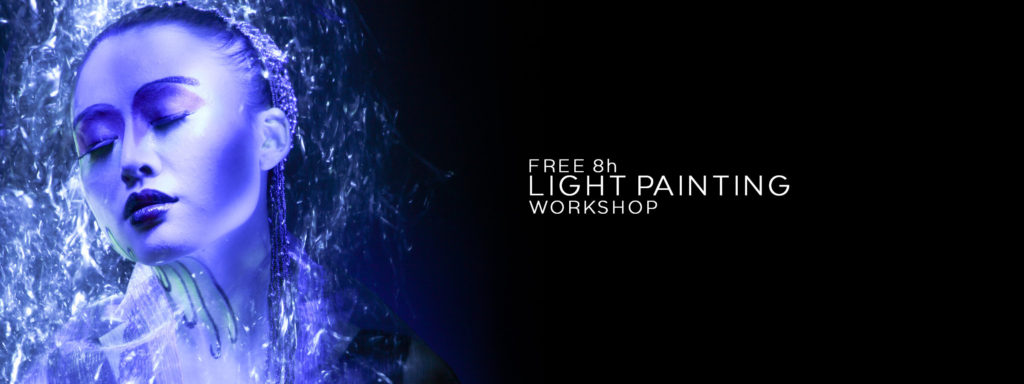
Patrick Rochon’s 8 hour Light Painting Workshop for FREE!

December 18, 2020 by Jason D. Page

Patrick Rochon Light Painting Workshop

Light Painting Workshop by Patrick Rochon

Back in 2013, Light Painting Artist Patrick Rochon recorded an in-depth 2-day workshop for the educational platform Learnster. After Learnster shut down, Patrick made the entire workshop available to the Light Painting Photography community — completely FREE! This incredible series provides deep insight into Patrick’s techniques, especially his Light Painting Portraits. Below you’ll find all the video segments with descriptions. Enjoy the inspiration and knowledge!

Workshop Video Series

01 – INTRO: Patrick introduces himself, shares inspiration from his portfolio, and discusses his global journey into Light Painting.

02 – TOOLS: Tools, camera settings, and light modifications for fire, water, and texture effects.

03 – STUDIO: How to set up your space, use red markers, and work in total darkness efficiently.

04 – DEMO: Live tool demonstration, showing movement techniques and light manipulation in real time.

05 – JAM: Patrick invites crew members to try Light Painting, showing how accessible and fun the process is.

06 – REVIEW: Shares portraits and resources, and reviews key settings and techniques from Day 1.

07 – BASIC: Working with models, lighting the face, managing sensitive eyes, and foundational portrait tips.

08 – EFFECTS: Creative background lighting for atmosphere and drama — all in-camera, no Photoshop.

09 – AIRBRUSH: Airbrush-like soft lighting on the model’s face with enhanced visual effects around them.

10 – POST: Patrick walks through post-production tools and techniques using a workshop image.

11 – Q&A: Final thoughts and a sit-down with Rob Lawrence from Learnster to answer audience questions.

Filed Under: Light Painting Photography, Light Painting Tutorials, Light Painting Video, Patrick Rochon

Drone Light Painting Tutorial by Russell Klimas

December 9, 2020 by Jason D. Page

Drone Light Painting by Russell Klimas

Light Painting Photographer Russell Klimas has been pushing the limits of Drone Light Painting for a while now. He creates complex Light Painted shapes in the sky and even takes it a step further by using forced perspective, animating 3D light paintings and he has even created a light painted horse chasing the moon across the sky!

Drone Light Painting by Russell Klimas

Drone Light Painting by Russell Klimas

Drone Light Painting by Russell Klimas

Last month Russell released an in depth Drone Light Painting Tutorial on his Youtube channel, and even though I am subscribed to his channel and have my notifications on (which you should be too) I still somehow missed it, but that’s besides the point… Thankfully I have finally seen this awesome tutorial and I wanted to share it with the Light Painting Photography Family! Check out the tutorial video below! Russell has also created a Facebook group that is dedicated to learning and sharing everything Drone Light Painting so if you want to learn more be sure to check that out here!

If you have not seen it here is the First Tutorial Russell refers to in the above video:

Filed Under: Light Painting Photography, Light Painting Tutorials, Light Painting Video

Pay Attention, LIGHT PAINTERS HAVE VALUE!

November 23, 2020 by Jason D. Page

Phill Fisher Light Painting

LIGHT PAINTERS HAVE VALUE.

If you are a Light Painter who has been creating images for any decent amount of time you have learned things that other people, even “Professional Photographers”, don’t know or understand. The knowledge you have acquired, the time you have dedicated to Light Painting, your tools, your gear, your creativity and imagination ALL HAVE VALUE! My stomach was twisting when I read the story fellow Light Painter Phill Fisher shared with me recently about a “JOB” from earlier this year. Wanting to share our passion for Light Painting with others is great, but it can also lead to being taken advantage of. With Phill’s approval, I am going to share with you just what he wrote me, with hopes you will learn something from it and you won’t be taken advantage of as many of us have.

UPDATE: FROM PHILL
Thank to this article and the overwhelming support fo the Light Painting Community Phill has been paid for his time and acknowledged (at least by the ad agency) as the creative mind behind the making of Canon’s light painting campaign. Here is a Thank You from Phill.

After posting the article about my recent experience the reaction was overwhelming. I didn’t think it would gain the traction it did.
It genuinely filled my heart with joy to see everyone supporting me and it wasn’t long before it was noticed by Canon and the advertising agency.
Soon after many people had bombarded the original canon post with comments and links to Jason D page’s article, I received a call from the Advertising agency to explain their side of the story, The conversation got a little heated in places but in the end they admitted they wouldn’t have got the shots they needed with out my input and put the following days down to a lack of communication within their team.
They have apologised and the matter has been resolved.
This wouldn’t have happened with out the initial support of Denis Smith, Jason page and Frodo Alvarez who spread this story and the many more of you from around the world, both in the LP community and outside of it.
I am so very thankful and grateful for your support.
The LP community is fantastic and I hope through sharing this experience people will learn from it and be better prepared.
Thank you. I really do appreciate it.
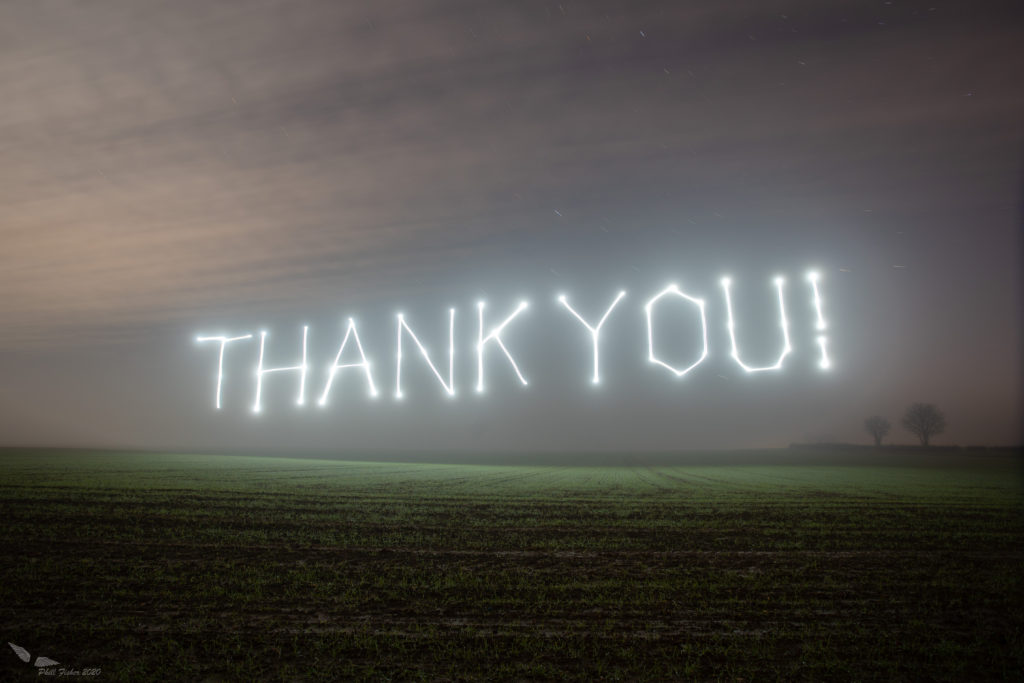
 I took this photo last night with the drone, A little rushed but it has been a hectic couple of days.
Gracias, Danke, Merci, Tak skal du have, Kittos, Sas efcharisto, Spasibo, obrigado, dzieki, Thank you

Light Painting Thank You by Phill Fisher


Make sure to give Phill a follow on his social media to show your support for his work!
Facebook, Instagram, Flickr

THE ORIGINAL STORY From Phill:
“Back on Jun 22nd I get three messages on Instagram from people who were looking for “Drone Artists” as they put it, They were doing an advertising campaign for a “major camera manufacturer” but couldn’t tell me who, until I signed an NDA (Non Disclosure Agreement) which I did, but didn’t do… More on that later, They asked to speak to me so I gave them my number. I had a phone call with them and they needed someone that night to come down and draw a shape in the sky as they were pressed for time and the guys they had doing it weren’t cutting the mustard. I told them that it wasn’t as easy as just throwing the drone in the air and taking a photo, I told them as they were pressed for time, with too many variables regarding drone drawing, that they should just photoshop it. But they couldn’t as their brief said it all had to be done in one single exposure.

They promised to “hire” me and practically begged me to go down to meet them on the southern Coast of England at Lulworth Cove that evening. Its about an hour and a half from where I live and I have a normal day job.

So I jumped in the car last minute and went to meet them.

I arrived at 10:15ish just as it was getting dark, met the team and the drone Operators that were there. The drone guys had never done this type of thing before, one of them told me he had never flown his drone at night before.

The main guys with the advertising company showed me the “Vision”, the brief and what they wanted. Agreed to hire me to get the job done and asked me to help with creative input and solutions, I explained to them again that its not that easy but they didn’t want “No’s” and “can’t do’s”, they wanted results. To give you an idea they wanted to draw a cresent moon shape over the sea between some rocks in the dark. All of which is not difficult but the thing with drone lightpainting is, you have to be aware of your surroundings. Ideally I like to scope a place I’m going to fly my drone in the daylight first so when it gets dark I know where I can go. What space I’m working with etc etc.

These chaps thought I’d turn up, chuck the drone in the air and bish bash bosh there you have your image, So while the two drone guys were flying about trying to get a cresent moon shape, I nipped down to the photographer who was some 50feet below the drone guys where he had this new camera set up. I had a chat with him and he told me he had never done this type of thing before.

I went back up to get the laptop out and one of the main guys quizzed me about getting it done, I explained I had some ideas and was going to trial them in a different area, I just needed to set everything up. So off I went and took some terrible rushed photos. And showed him examples that with more time, better results could happen, we got talking and I said basically you could bypass all this drone stuff and give the appearance of the crescent shape in the sky by using stencils and two different tripods (One for the stencil and one for the landscape). He couldn’t work it out what I meant so I showed him some example of my shots and he slowly understood. They want to hire me so why wouldn’t I help?

By this time it was 3am, I have to be up at 7am for work and I have to drive home which is an hour and a half away, So I politely explain, the main chap explains that the next night they would like me to come down and draw some shapes in the sky. A window, a star, a triangle and a crescent, they want to hire me for the next three days and they will be in touch about that tomorrow to talk money.

Thursday comes and I spend my lunch break refining missions the drone can fly for these guys. I hear nothing by 3pm so send messages to the three people that contacted me. Then I get a phone call from one of the guys that was there last night, He accidentally dialled the wrong number, I ask him if I’m needed, he says he will find out and get back to me. So I immediately smell a rat, they aren’t bothered, by this time is 5pm and I have heard nothing and no one is telling me anything. I eventually get a message from another guy saying I wasn’t needed and that I had left early last night. Left early??, It was 3am, I have a job and so far no one has hired me!

Fine I thought, that evening I went out with my drone and took a few photos of what I had done for them. Covered one in my name as a watermark watermark and sent them to the people that had contacted me.

Bizarrely enough they wanted to speak to me again, I had the same guy on the phone that wanted to hire me two days ago wanting to hire me again for the next three days to help get this advert sorted, But he also wanted me to walk him through the shot I had explained on the first night over the phone, Which I did but, loosely, but the way in which he asked made me realise… why should I tell them anything. He asked me what I would use for a stencil, “Anything stiff” I said, like card etc and he proposed we had a conference call with the photographer and the other guys in their team so I could explain it etc etc. I said I just needed to get a few bits from around the house and I would call them back.

I didn’t call them back, I then didn’t answer the five phone calls I had off the same guy and messages asking if I could hop on a conference call with him.

They had no intention of hiring me, they just wanted the details so they could get some sort of shot. Interestingly their brief said single exposure, and they still didn’t manage to do that, they used the cameras multiple exposure mode, They clearly forgot that the camera comes with a lens cap.

Also why on earth did they shoot these shots at ISO 12800. The image is full of noise. But I suppose they could have been pushing the capabilities of the camera? Either way it seems a bit silly

The article says it was all the photographers Idea, but it wasn’t, he didn’t have a clue about any of this, nor did his team. They did manage to pull a couple of images off so fair enough.

As for the Non-Disclosure Agreement. I was asked to sign it, but as I was at home with no printer there was no way I could, So the producer who was sending me the NDA asked me to send her a pic of my signature and she would sort it her end.

By the way it was Canon, One of her team had already told me hours before the NDA was “Signed”

The issue I have is this. They told me they wanted to hire me, I went there to help and explain I did, they then ignored me, then wanted to hire me again after I showed them what could be done, then they used my idea that they wouldn’t have thought of.

Yes I should have talked Money and a contract etc, but I do this for fun and I thought (stupidly) that he would stick to his word. When I messaged the producer to tell them about the conduct of her staff she apologised and told me they had moved on from the original idea and were using hands to make shapes… Then I find this article on Canon’s page

So as long as Canon got the images they wanted and the advertising company got the payment, no harm done right?”

This story sucks, if you feel for Phill the best thing you can do is learn from this story.  You and your skills have value!

Here are 3 tips that I recommend for anyone that might have questions as to the business of Light Painting. 

1. Know your value and get paid for your knowledge, the amount you are paid is going to vary greatly for your experience level, the client you are working for and numerous other things but if someone wants your help with something you should be getting paid. It might just be someone paying for your dinner or it might be $10,000 but your knowledge and experience have value!

2. Here is a practical way to figure out what to charge when you are just starting out and looking for Light Painting “work experience” figure out how much would you normally make at your normal job for a day of work. If you get paid $100 to come to work for the day and someone wants to hire you for a day/night to create light painting then charge them the same. NOW if this is Canon wanting you to shoot an advertising campaign that is going to be used globally then you might want to ask for a bit more 🙂

3. Whatever you negotiate your pay to be, get 1/2 up front before you get to the location. You can get the rest when you arrive or after you deliver the images, that’s up to you and how you feel about the client and the experience you have had with them. Always get 1/2 up front.  

Filed Under: Business of Light Painting, Light Painting Photography

Massive Children Of Darklight Light Painting Collaboration!

November 23, 2020 by Jason D. Page

Light Painting by LightMOB

Light Painting brings people together, but even more so when doing a massive Light Painting Collaboration and no one does it better than the team of Frodo, SFHIR and Edu known as The Children of Darklight! Frodo ÁlvarezDKL, SFHIR and Edu Cajigal create the most massive and impressive Light Paintings ever! The amount of work, organization, planning, time, artistry, creativity, imagination, and technical ability that goes into creating one of these mind blowing works of art is simply astounding! To say it is impressive is really an understatement, everything that goes into making one of these is extraordinary! In their most recent work, not only did they overcome all the normal challenges of creating one of these incredible works of art, they also had to deal with Covid and social distancing! I was going to interview Frodo about this image but thankfully Denis Smith has already done it for me! Denis got a chance to talk with Frodo recently for his School of Light Youtube series Image Breakdown! Check out the The Making of Video Frodo and the Team put together, the full Image Breakdown video by Denis below and also keep scrolling down for other MASSIVE Light Paintings Frodo and the LightMOB collaborators have created!

ARTISTIC DIRECTION:  Frodo Álvarez DKL (Children Of Darklight), Sfhir, Edu Cajigal
PRODUCTION & COMMUNICATION: When&Where Comunicación y Eventos
COLLABORATING ARTISTS: Patry Diez, Alexandra Lunar, José Moroño, Tardor Roselló, Iris Shyroii, Ricardo Diosa, Rafael Lobo de la Sierra, Sonia Sumaiss, Ivantxo Rodriguez, Diana Ponce
PRODUCTION ASSISTANTS: Beatriz García, Patry Diez, Alicia Gutiérrez, Adri Domínguez
MAKING OF: Realizador: Titi Muñoz, Cámara: Daniel Contreras
MUSIC: Lego My Ego “A.I.”

Light Painting Photography by Children of DarkLight

Light Painting Photography by Children of DarkLight

Light Painting Photography by Children of DarkLight

Light Painting Photography by Children of DarkLight

Light Painting Photography by Children of DarkLight

If you would like to see more about all the Light Painting Projects Frodo and the team are working on then please check out these links below!

https://www.instagram.com/childrenofdarklight
https://www.youtube.com/ChildrenOfDarklightTV

Filed Under: Break Down, Light Painting Photography, Light Painting Video Tagged With: Light Painting, light painting collaboration, Light Painting Photography

Faberge Orb Light Painting Tutorial

November 20, 2020 by Jason D. Page

Light Painting Photography Tutorial Faberge Orb

In this light painting photography tutorial I show how to light paint a shape I like to call the Faberge Orb! These light painted orbs are really easy to create all you need to do is turn in a circle while moving your arm in a back and forth motion. The resulting images from this simple Light Painting technique look more complicated than the technique itself leaving you with some really interesting images. The more random you make the movements the more interesting the orbs become. It you add in different colors and textures you can get some really cool looking Faberge Orbs! I used tools from Light Painting Brushes in this tutorial. Enjoy!

Light Painting Tutorial Faberge Orb

Light Painting Tutorial Faberge Orb

Filed Under: Light Painting Photography, Light Painting Tutorials, Light Painting Video

Polaroid Light Painting Tutorial

November 11, 2020 by Jason D. Page

Polaroid Light Painting Photography

If you want SOOC there is no better way than Light Painting with a Polaroid Camera! In this Light Painting Tutorial I show How To Light Paint with the Polaroid One Step + and some tools from Light Painting Brushes! This is a new modernized version of the Classic Polaroid camera when paired with the Polaroid app on your phone it opens up a whole world of creative possibilities, including Light Painting! There is a Light Painting setting in the app but I got better results using the full manual controls. The Light Painting setting in the app has a fixed aperture, which I could not find out what it actually is but my guess is its somewhere between F32-F64. In the full manual mode you can control the aperture and I got the best results at F22 shooting with the exposure set to Bulb. Check out the video and images below!

Polaroid Light Painting Photography

Polaroid Light Painting Photography

Polaroid Light Painting Photography

Filed Under: Light Painting Photography

« Previous Page
Next Page »

Copyright © 2026 · News Pro Theme on Genesis Framework · WordPress · Log in