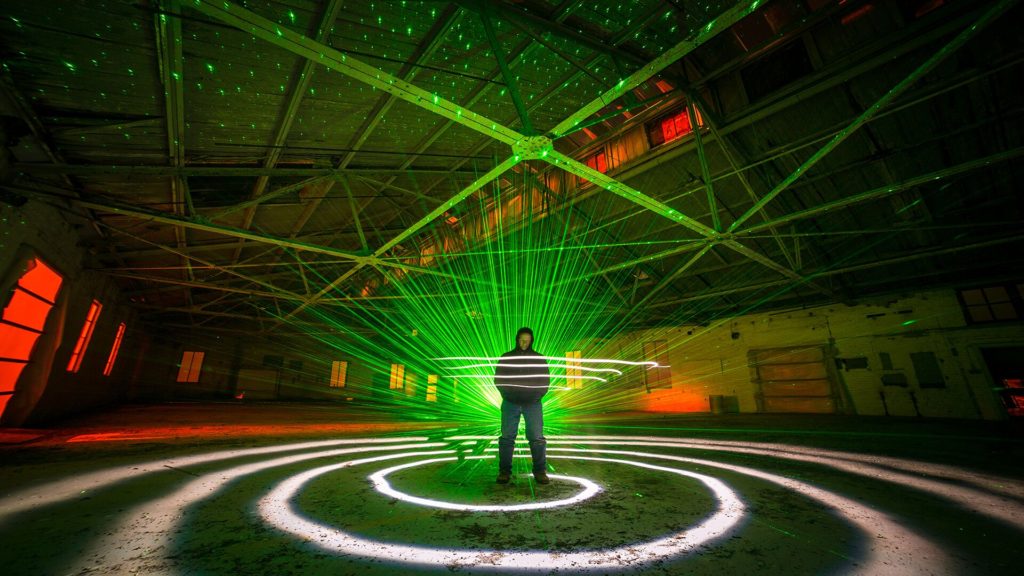
Light Painting Photography

For the promotion and progression of Light Painting Art and Artist.

  • Home
  • Blog
  • History
  • Artists
    • Dean Chamberlain
    • Eric Staller
    • Susan Sims-Hillbrand
    • Vicki DaSilva
    • David Lebe
    • Troy Paiva
    • Bruno Mesrine
    • Chanette Manso
    • Patrick Rochon
    • Aurora Crowley
    • LAPP-PRO
    • JanLeonardo
    • Lightmark
    • Arturo Aguiar
    • Pete Eckert
    • Trevor Williams
    • Michael Bosanko
    • Jason D. Page
    • Nocturne
    • Brian Hart
    • Jeremy Jackson
    • Janne Parviainen
    • Jadikan-LP
    • Dana Maltby
    • Lichtfaktor
    • Dennis Calvert
    • TigTab
    • Hannu Huhtamo
  • Tools
    • Light Painting Brushes Starter Kits Introduction
    • Fiber Optics Light Painting Tools for Photography
  • Tutorials
    • Beginner Light Painting Tutorials
    • Light Painting Tutorials by Artists
    • Light Painting Tool Tutorials
    • Kinetic Light Painting Tutorials
    • Light Painting with Fire Tutorials
    • How To Light Paint A Flower
    • Light Painting Photography Tutorial: The Spiked Orb
    • How To Light Paint a Faberge Orb!
    • No More Orb Feet – Light Erases Darkness
    • The Tinfoil Light Painting Technique
    • How To Light Paint A Ghost
    • Electric Orb Light Painting Tutorial
    • Spirographs and Physiograms Tutorial
    • On Camera Light Source
    • Off Camera Light Source
    • Orb Techniques
    • Steel Wool Tutorial
    • Custom White Balance
    • Omnidirectional Light Cap
    • Gel Holder
    • Simple Orb Tool
    • 4 Ways to Add Color to your Plexiglass Light Painting Brushes
    • Driving Shots at Night
    • Wire Wool Spinning
    • El Wire Tutorial
    • Light Stencils
    • Orbs
    • Dome Tutorial
    • Battery Operated Cathode
    • Light Wheel
    • Double Wheel
    • Fire Wall Tutorial
    • Fire Rain Tutorial
    • Smoke
    • How To Light Paint with the Polaroid One Step +
    • How To Focus In The Dark
    • Light Painting Tutorial The Peacock Technique
    • How To Shoot Defocused Fireworks Tutorial
    • Drone Light Painting Tutorial
    • Light Stencil By Trevor Williams
    • Andrew Whyte Dome Tutorial
    • Light Painting Workshop by Patrick Rochon
    • Rob Turney Refractographs
    • SpiroJib by Johnny Griffin
    • Lens Swap Light Painting Tutorial
    • Camera Rotation Light Painting Tutorial
  • Videos
    • Light Painting Documentaries
      • Jason D. Page Documentary
      • Ball of Light
      • Night Photography: Finding Your Way In The Dark
      • Lightpainted Reality
      • SeeMe | In Focus : Pete Eckert
      • Pete Eckert – Dancing on The Edge of Perception
    • Dean Chamberlain
    • Vicki DaSilva
    • Patrick Rochon
    • Lichtfaktor Light Painting Videos
  • Terms
  • Links
  • Connect With Us!
  • About
You are here: Home / Archives for Light Painting Categories

Light Painting Photography VLOG 27

March 21, 2019 by Jason D. Page

Here is latest episode of the Light Painting Photography VLOG. There isn’t much Light Painting in this episode of the VLOG but I wanted to share the experience anyway because I think there is still some good stuff in here. It just goes to show that things don’t always work out like you plan especially when you are trying to creating Light Paintings in places you have never been before. The next episode has lots of light painting in it I promise… If you have not subscribed to our YouTube channel yet please do it NOW! This episode was filmed in Golden and Estes Colorado at the Stanley Hotel where they filmed some of The Shining! Enjoy…
Filed Under: Light Painting Photography, Light Painting Video, Light Painting VLOG Tagged With: Light Painting, Light Painting Photography, Light Painting Video, Light Painting VLOG

Light Painting VLOG 18: Mid Atlantic Meet UP Part 4

June 25, 2018 by Jason D. Page

This Light Painting VLOG is about the final day of the 2018 Light Painting World Alliance Meet UP hosted by Jason Rinehart in Buchanan Virginia. In this episode we all meet at Roaring Run to collaborate at a giant stone furnace that was used to make canon balls for the civil war! Make sure to subscribe to our Light Painting Photography YouTube Channel as we transition the LPP BLOG to the LPP VLOG! Enjoy.

Image by Johnny Dickerson

Filed Under: Light Painting Photography, Light Painting Video, Light Painting VLOG

Light Painting VLOG 16: Mid Atlantic Meet UP Part 2

May 22, 2018 by Jason D. Page

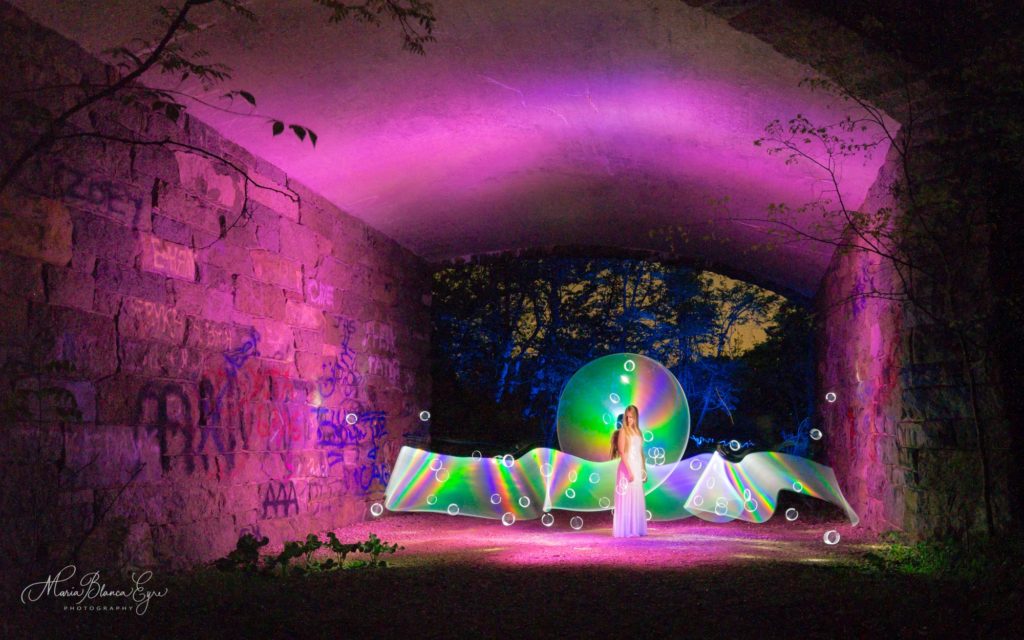
Here is part two of the VLOG from the Light Painting World Alliance Mid Atlantic Meet UP! In this episode a few early arrivals go out on the Blue Ridge Parkway and light paint in a old horse trail tunnel and then shoot under the Milky Way, Enjoy! Make sure to subscribe to our Light Painting Photography YouTube Channel as we transition the LPP BLOG to the LPP VLOG!

Above image captured created by Jason D. Page captured by Blanca Eyre

Filed Under: Light Painting Photography, Light Painting Video, Light Painting VLOG

Light Painting VLOG 15: Mid Atlantic Meet UP Part 1

May 22, 2018 by Jason D. Page

Light Painting by Jason Rinehart

Here is part one of the Light Painting VLOG from the 2018 Light Painting World Alliance Meet Up in Buchanan Virginia, Enjoy! This was the start of an awesome couple of days! Make sure to subscribe to our Light Painting Photography YouTube Channel as we transition the LPP BLOG to the LPP VLOG!

Filed Under: Light Painting Photography, Light Painting Video, Light Painting VLOG Tagged With: Light Painting Video, Light Painting VLOG

Light Painting Break Down: James De Luna “Spectral Super Model”

March 21, 2017 by Jason D. Page

From time to time we come across a light painting and just stare it wondering how did they do that?!?! Break Down is a series if which I only ask the artist one question “How the F@#! did you make this” its up to the artist to tell as little or as much as they want. Recently Light Painting Photographer James De Luna posted this colorful, magical, stellar, interesting, glorious, luminous and radiant image called “Spectral Super Model” . My mind was blown by this amazing creation so I asked for a “Light Painting Break Down”.

LPP ∇ James, Spectral Super Model is pretty, How the F@#! did you make this?

JL ∇ Well first things first when working with models… make sure they are warm, comfortable and in a good mood, their hair and makeup done nicely etc… oh hang on mine is plastic …

I adjusted the wig.

For this shot I wanted to have the lens above the model so I actually put the tripod on top of 3 large containers.

The next step was to do the background, so I set my focus to the model, aperture to f8 and turned out the lights (I have a room where complete darkness can be achieved) Waving my tool behind the model upwards and downwards I made a silhouette of the mannequin.

Next I removed the wig and stuffed the first el wire up my sleeve. The way I do these is by holding the wire against the model as it flashes on fast mode and on slow mode for the hair. You literally wrap it around the body just once and move the wire, trying to get the coverage even.

Finally I repeated in the two other colours. That’s really all there is to it … but in this case it took 29 minutes, so you certainly need a little patience 🙂

GEAR USED:
Sony a6000
Zenitar 16mm lens
Home made RGB led tool
EL wires in pink green and blue
Tripod
Model (A mannequin)

Check out more Light Painting from James HERE!

Filed Under: Break Down, Light Painting Photography

Light Painting Break Down: Pala Teth for “Laser Web”

October 29, 2016 by Jason D. Page

light-painting-by-pala-teth-laser-web

From time to time we come across a light painting and just stare it wondering how did they do that?!?! Break Down is a series if which I only ask the artist one question “How the F@#! did you make this” its up to the artist to tell as little or as much as they want. Recently Light Painting Photographer Pala Teth posted this mind blower up on his Facebook page after starring at this insanity for several minutes and then realizing I had lost all track of time because my mind was lost in this “Laser Web” I asked Pala to do a Break Down and he kindly agreed. Enjoy.

LPP ∇ Pala your new image “Laser Web” is nuts, How the F@#! did you make this?

Technical Details: 
– Smoke + Laser,
– 6 rotations of 60°, starting at 30°,
– 6 seconds of exposure at each step,
– lens cap while rotating.
– EXIF : f/5.6, ISO 800, 21mm, 192 sec

Full Break Down by Pala Teth:
I organize an open Light Painting evening every Thursday, and for this particular Thursday, there were less attendees than usual. We were only 5 (3 light painters and 2 friends) and as Gregory Lamouline was one of the light painters, I’ve brought my Camera Rotation Tool (CRT) too. Gregory is a CRT enthusiast and I knew he will be happy if we spend time playing with our CRT.

To be fair, I’m a beginner in CRT photography. I’ve bought one CRT two years ago from Alan Thompson, the brother of the famous CRT specialist Chris Thomson, but I’ve never really used it yet. This picture is my third one since I’ve bought the tool. As a viewer, I love to watch the CRT pictures made by others. But for my own pictures, I usually forget to use this tool. I prefer to be in front of the camera playing with lights rather than being behind the camera and doing rotations. So this light painting session was unusual for me.

As Pol Lution -our third accomplice- does not have a rotation tool, he started the evening by shooting his ideas in the room close to the main abandoned industrial hall where we were. He was playing with UV paint and fire, and his experiments created a smoky atmosphere in this room. In the meantime, Gregory and I were searching in the main hall for the right spot and the best angle to shoot a picture I had in mind (“The Rat Race”, without laser).

The best spot for this picture was the door between the main hall and the room where Pol was doing his pictures, because the door could be used to control the backlight. I wanted to use a backlight for the model, to get a silhouette, but in an open space and with the wide angle lenses, the backlight was too large and it would have created troubles while rotating. With the door and a distant light source, the angle of the light triangle on the floor was far better. So we did our first shot there when Pol had finished his own ones.
light-painting-the-rat-race-by-pala-teth

We were happy with this first shot and while looking at the picture on the back of our cameras, it was obvious that the smoke was going out of the room behind the model and was spreading inside the main hall. The laser is the best friend of the smoke, so we had to give a try with the laser and a CRT.

I installed a green laser pointer on a light stand, behind the model, pointing towards the camera. I put a special head cap on the laser which split the unique ray into a circle of rays. And we lined up the laser with the model and the camera to get symmetric rays around the model. Pol -who is the model in this shot- has chosen an interesting posture. We did two test shots (without rotation), to check the camera settings.
light-painting-by-pala-teth-set-up-shot

The smoke was not really dense, so f/5.6, ISO 800 and 6 or 7 seconds were perfect to catch the laser rays. As you can see from the test shot, the smoke is coming from behind the model through the door, so the laser rays are bright around the model and then the light fades slowly away while the smoke becomes lighter in the rest of the hall.

I decided on a rotation in 6 steps (60° per step) and I started the first one at 30°. I put the cap on the lens, start the exposure, remove the lens cap, count to 7, put the cap on, rotate the camera of 60°, remove the lens cap, count to 7, etc… and it was done.
light-painting-by-pala-teth-laser-web

In the same time, Gregory was doing a rotation in 8 steps, with his fish-eye lens and a lower focal length. And when we saw the results on the back of the cameras, I was like a child on Christmas morning! I love being surprised by the result of a light painting and this one was a great surprise for me.

Image by Gregory Lamouline
Untitled

If you would like to learn all about Camera Rotation Light Painting Check out this in depth tutorial HERE!

Filed Under: Break Down, Light Painting Photography

Light Painting Break Down: Insider by Tim Gamble and Chris Thompson

June 22, 2016 by Jason D. Page

Light-Painting-Tim-Gamble-Insider

From time to time we come across a light painting and just stare it wondering how the F@#! did they do that?!?! Break Down is a series if which I only ask the artist one question “How the F@#! did you make this” its up to the artist to tell as little or as much as they want. For this Light Painting Breakdown Tim Gamble talks us through how he and fellow light painter Chris Thompson created the above image titled “Insider”

So Tim how the F@#! did you make this?

I’ve been a massive fan of silhouettes within silhouettes since seeing awesome work from LED Eddie and Mart Barras. I had also seen some images from people on Instagram which whilst being pretty visually appealing they were created in F%?#ing Photoshop. I saw one which involved a hooded top being pulled open by the model to reveal something lurking inside. Always keen for a challenge I decided to give it a try in-camera as it’s always way more fun that way.

Firstly I needed a suitably dark and moody spot to shoot this in and I headed to my favorite lime kiln with Chris Thompson. This was the first outing with Chris T’s new softboxes and I knew the quality of light from them would work a treat for the first part of the exposure. We set one up on either side of me with a Yongnuo 560iv in each.

Next we worked out the best settings and light positioning to gain perfect exposure on the Parka. I had already worked out the best way to keep my face and torso from exposing and that was to wear my favorite black light painting hoodie back to front. Whilst looking incredibly strange it worked a treat. It was really important that no light fell on those areas so as to keep a blank canvas for the inner silhouette.
Light-Painting-Insider-Set-Up-by-Tim-Gamble

Once happy with that aspect we added another light directly behind me about 8 feet away. Another Yongnuo 560iv on full power @24mm gelled “Jaffa Cake” orange to add a slight separation light or rim light and to expose some of the stonework in the kiln. The final piece of the first part of the exposure was to add the laser which was stuck with gaffer tape to the top of the rim light. I filled the air with Vape from my e-cigarette and through trial and error nailed down how long the laser needed to expose correctly. Once happy we moved onto the second part of the exposure.

As I was with the net curtain waving champion of the world I knew that was the effect I wanted to create the fire for the silhouette. Orange gel on my led lenser P7.2 and the Light Painting Brushes Universal Connector as a snoot.

I stand still and Chris frantically wafts the net curtain up and down whilst lighting it with the gelled torch from behind me. We had to work out where I was to stand so I didn’t interfere with the first part of the exposure. The cherry on the cake was the flare from the middle of my chest. Once happy, markers were placed on the floor and it was time to put it all together in one go.

I turned live view on so Chris could position me in a central position, ensuring both of my hands stayed in the frame. I filled the kiln with vapor from my e-cigarette, pulled my black hoody over my face, turned on the laser, torch off and I fired the shutter.

Chris fired the soft boxes and rim light with the radio trigger and we let the laser burn in whilst I held still. 30 seconds of laser and Chris replaced the lens cap. I made my way to my second position and turned off the laser. Chris removed the lens cap and made his way behind me with the torch and the net curtains. After Chris had finished expertly waving them around for the flames he passed me the torch and I popped it on full power for less than a second for the flare held in the middle of my chest.

Shot on a Canon 650D, Tokina 11/16mm, 3 x Yongnuo 560iv flashguns, 2 x Photo-R 24” x 24” softboxes with stands, 1 x green laser pointer, vape from my e-cigarette (smoke bombs would do), 1 x Light Painting Brushes Universal Connector as a snoot and a Led Lenser P7.2.

Settings.
12mm,
F7.1,
Iso 100,
223 seconds
Auto White Balance.
3 x Yongnuo 560iv’s full power @24mm.

A massive “big up” to Chris Thompson for his help in realizing this shot. Without him I’d still be there now. Cheers.

This is some freaking incredible work and thank you to Tim for sharing some of his secrets! Below are a few more stunners from Tim using a similar technique! Check out more of of Tim’s work HERE and you can find Chris right HERE.


Filed Under: Break Down, Light Painting Photography

Light Painting Break Down: Chris Bauer for “Light Bender”

December 15, 2015 by Jason D. Page

Chris Bauer Light Bender Light Painting 01

From time to time we come across a light painting and just stare it wondering how the F@#! did they do that?!?! Break Down is a series if which I only ask the artist one question “How the F@#! did you make this” its up to the artist to tell as little or as much as they want. I saw the above image “Light Bender” from Chris Bauer and my eyes fell out of my head. I asked Chris to do a Break Down of “Light Bender” and instead of using a bunch of silly words to explain himself Chris did us one better and made a video showing the tools and the process! Enjoy.


Make sure to check out Chris’s website for more mind bending images! http://www.thefloweroflight.com

Filed Under: Break Down, Light Painting Photography, Light Painting Video

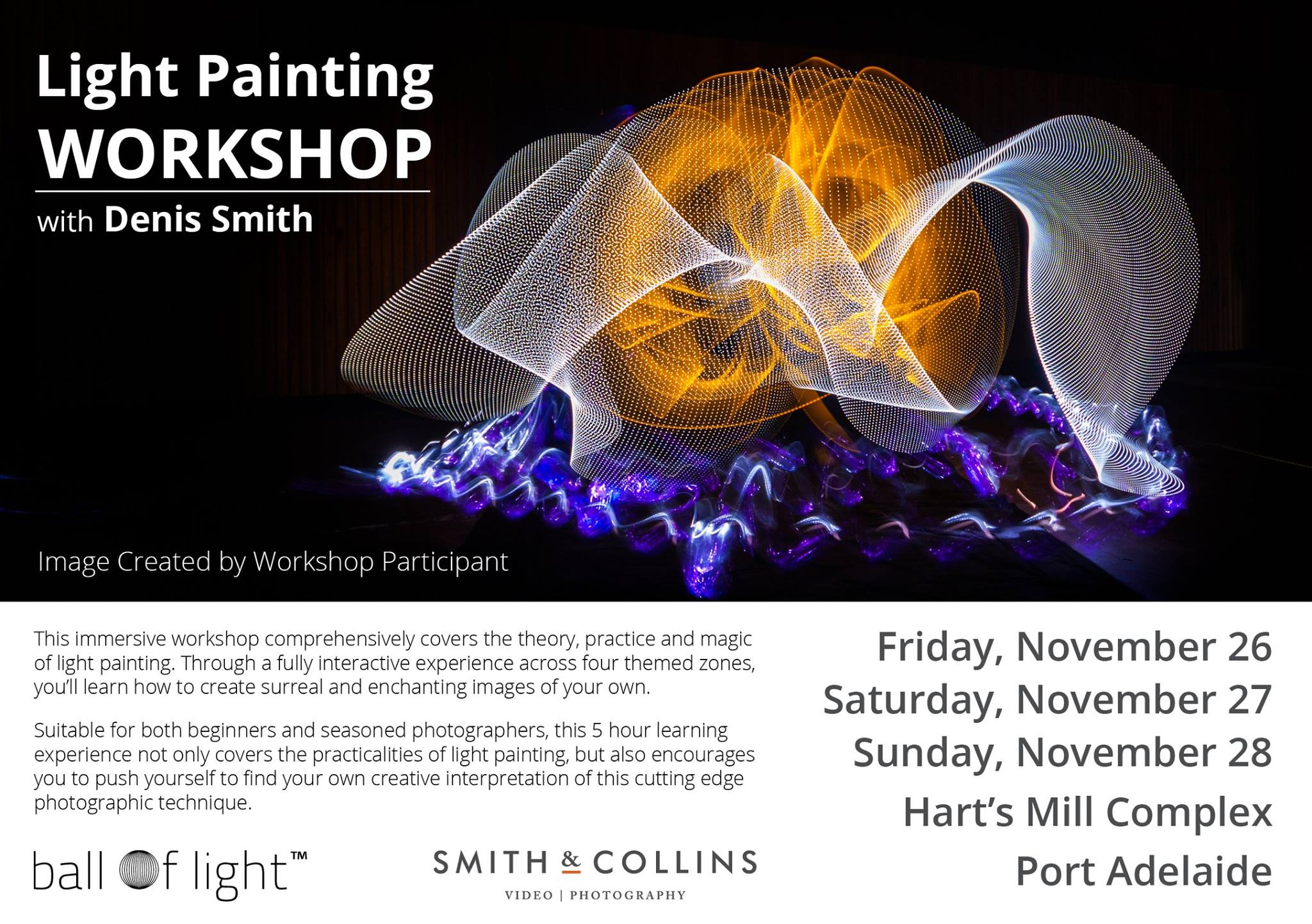
Denis Smith Light Painting Workshop

November 2, 2015 by Jason D. Page

Denis Smith Light Painting Workshop

I have never been to one of Denis Smith’s Light Painting workshops but from what I have seen and read it looks like the man puts on one of the best workshops in the business. From awesome locations and gear for everyone to use, all the way down to the food service, the events look like one incredible experience. Good news is he has a new one coming up this month! Check out the video below for a taste of what to expect and head over to http://www.smithandcollins.com/workshops/ for all the details.

Filed Under: Light Painting Photography, Light Painting Video, Light Painting Workshops

Light Painting Exhibition by Linda Costa Cheranichit

September 5, 2015 by Jason D. Page

linda_costa_cheranichit-divine_feminine-02-look_within-1024px

Congratulations to Light Painting Artist Linda Costa Cheranichit who will be exhibiting her beautiful spiritually inspired light painting work as part of Atlanta Celebrates Photography 2015. Starting on September 13,2015 Linda will be showing 17 new works and she will also be creating live light paintings as part of a performance on October 24th, Linda says “I will have a live light painting performance where a model will perform a slow procession with soft movements while covered in a dress of lights, which I will photograph and project for the audience to see how the work is created.” If you are in the Atlanta area be sure to check it out and show your support! Here are all the details…

In recognition of Atlanta Celebrates Photography 2015, the Auburn Avenue Research Library, in collaboration with Hammonds House Museum will host Divine Feminine, an exhibition by light painting photographer Linda Costa Cheranichit. Inspired by Ifa, the African traditional belief system of the Yoruba peoples also known as Candomble in the artist’s native country Brazil. Cheranichit shares her artistic interpretation of the divine found in everyday women of color via spontaneous experimental photography and lighting techniques. These images explore the If a deities that guide her life and create a dreamlike magic realism which honors the female form and spirit. Curated by artist Linda Edmonds-Lima, Divine Feminine will exhibit from September 13, 2015 – November 1, 2015 in the AARL Satellite Gallery at the Hammonds House Museum, 503 Peeples St., Atlanta, GA 30310. The exhibition is free and open to the public.

linda_costa_cheranichit_divine_feminine-03-Gemini-1024px

linda_costa_cheranichit-divine_feminine-14-all_her_glory-1024px

Filed Under: Light Painting Exhibitions, Light Painting Photography

« Previous Page
Next Page »

Copyright © 2026 · News Pro Theme on Genesis Framework · WordPress · Log in