Light Painting Photography

For the promotion and progression of Light Painting Art and Artist.

  • Home
  • Blog
  • History
  • Artists
    • Dean Chamberlain
    • Eric Staller
    • Susan Sims-Hillbrand
    • Vicki DaSilva
    • David Lebe
    • Troy Paiva
    • Bruno Mesrine
    • Chanette Manso
    • Patrick Rochon
    • Aurora Crowley
    • LAPP-PRO
    • JanLeonardo
    • Lightmark
    • Arturo Aguiar
    • Pete Eckert
    • Trevor Williams
    • Michael Bosanko
    • Jason D. Page
    • Nocturne
    • Brian Hart
    • Jeremy Jackson
    • Janne Parviainen
    • Jadikan-LP
    • Dana Maltby
    • Lichtfaktor
    • Dennis Calvert
    • TigTab
    • Hannu Huhtamo
  • Tools
    • Light Painting Brushes Starter Kits Introduction
    • Fiber Optics Light Painting Tools for Photography
  • Tutorials
    • Beginner Light Painting Tutorials
    • Light Painting Tutorials by Artists
    • Light Painting Tool Tutorials
    • Kinetic Light Painting Tutorials
    • Light Painting with Fire Tutorials
    • How To Light Paint A Flower
    • Light Painting Photography Tutorial: The Spiked Orb
    • How To Light Paint a Faberge Orb!
    • No More Orb Feet – Light Erases Darkness
    • The Tinfoil Light Painting Technique
    • How To Light Paint A Ghost
    • Electric Orb Light Painting Tutorial
    • Spirographs and Physiograms Tutorial
    • On Camera Light Source
    • Off Camera Light Source
    • Orb Techniques
    • Steel Wool Tutorial
    • Custom White Balance
    • Omnidirectional Light Cap
    • Gel Holder
    • Simple Orb Tool
    • 4 Ways to Add Color to your Plexiglass Light Painting Brushes
    • Driving Shots at Night
    • Wire Wool Spinning
    • El Wire Tutorial
    • Light Stencils
    • Orbs
    • Dome Tutorial
    • Battery Operated Cathode
    • Light Wheel
    • Double Wheel
    • Fire Wall Tutorial
    • Fire Rain Tutorial
    • Smoke
    • How To Light Paint with the Polaroid One Step +
    • How To Focus In The Dark
    • Light Painting Tutorial The Peacock Technique
    • How To Shoot Defocused Fireworks Tutorial
    • Drone Light Painting Tutorial
    • Light Stencil By Trevor Williams
    • Andrew Whyte Dome Tutorial
    • Light Painting Workshop by Patrick Rochon
    • Rob Turney Refractographs
    • SpiroJib by Johnny Griffin
    • Lens Swap Light Painting Tutorial
    • Camera Rotation Light Painting Tutorial
  • Videos
    • Light Painting Documentaries
      • Jason D. Page Documentary
      • Ball of Light
      • Night Photography: Finding Your Way In The Dark
      • Lightpainted Reality
      • SeeMe | In Focus : Pete Eckert
      • Pete Eckert – Dancing on The Edge of Perception
    • Dean Chamberlain
    • Vicki DaSilva
    • Patrick Rochon
    • Lichtfaktor Light Painting Videos
  • Terms
  • Links
  • Connect With Us!
  • About
You are here: Home / Archives for Light Painting Tutorials

Light Painting Portrait Tutorial

June 10, 2019 by Jason D. Page

Light Painting Portrait Tutorial

Howdy everyone, I have just released a new Light Painting Tutorial showing how to make sure your model doesn’t become blurry in your Light Painting Portrait images! In this video I show how to make sure your model stays in focus using the new Light Painting Brushes Portrait Light and two main strategies. The first is to make sure you model stays as still as possible when they are illuminated and second ONLY Illuminate your model ONE Time. I hope this helps your light painting portraits! Enjoy, oh and if you haven’t PLEASE subscribe to our YouTube Channel!

Filed Under: Light Painting Photography, Light Painting Tutorials, Light Painting Video Tagged With: how to light paint, Light Painting, light painting portrait, Light Painting Tutorial

Light Painting Brushes, Opaque Vs. Translucent Light Writers

May 13, 2019 by Jason D. Page

Light Painting Brushes Tools

In this new light painting video I show the difference in the Opaque and Translucent Light Writers. This is one of the most common questions I get about the Light Painting Brushes Light Painting Tools, How it helps 🙂 Enjoy:

Filed Under: Light Painting Photography, Light Painting Tutorials, Light Painting Video Tagged With: Light Painting, Light Painting Tutorial, Light Painting Video

Light Painting Tutorial – How To Write With Light

April 15, 2019 by Jason D. Page

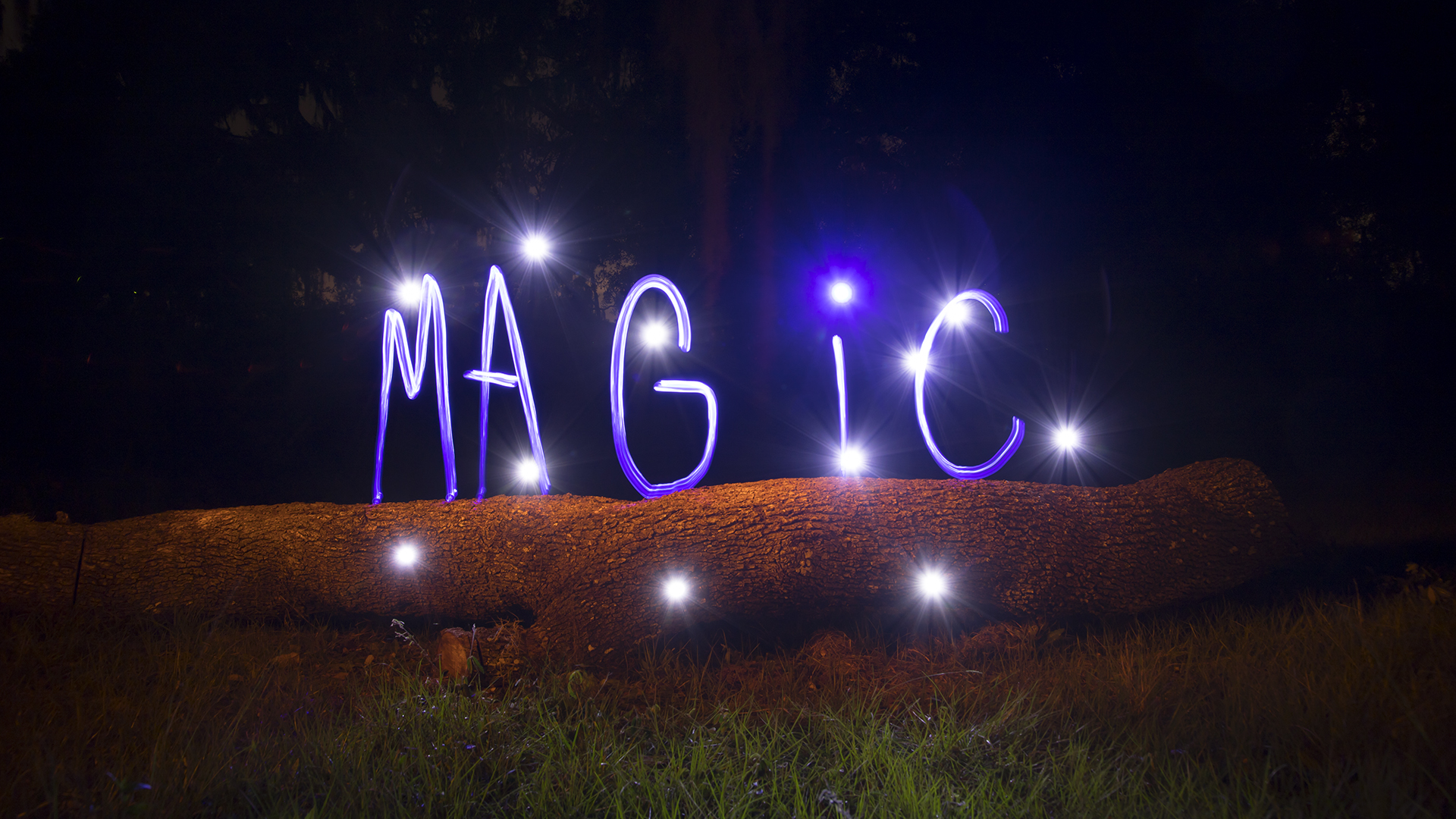
Light Painting Magic Tutorial

Light Painting is Magic and in this Light Painting Video Tutorial Jason D. Page shows How To Write With Light using tools from Light Painting Brushes. This is a Light Painting Tutorial with the beginning light painter in mind, however there are still a few good tips in there for the more experienced Light Painting Artist as well. Check out the video and images below! Enjoy.

Filed Under: Light Painting Photography, Light Painting Tutorials, Light Painting Video

Light Painting Tutorial, How To Light Paint Flowers

October 30, 2018 by Jason D. Page

Light Painting by Jason D. Page IMG_2264

I have just finished up a new light painting tutorial showing How To Light Paint Flowers using tools from Light Painting Brushes! I am really excited to share this new technique with everyone and I can’t wait to see the images people create using it! Hope you all Enjoy!


Filed Under: Light Painting Tutorials, Light Painting Video

How To Light Paint A Abominable

October 24, 2018 by Jason D. Page

Light Painting Photographer Chris Bauer has created a new light painting video tutorial showing how he creates his series of Abominable Snowmen using the new Unicorn Plexiglass from Light Painting Brushes! Check out the images and video below! Enjoy.

The setting used in the light painting tutorial are:
ISO 100
F11
Shooting on BULB mode, the exposure times vary from 3-8minutes for the images created in this tutorial.

The tools used in this light painting tutorial are available from:
https://lightpaintingbrushes.com

Make sure to follow and tag chris in your image that you create using this light painting technique here:
https://www.instagram.com/chrisbauer_lightpainter/
https://lightpaintingbrushes.com/pages/chris-bauer
https://thefloweroflight.com

More light painting tutorials are here:
How To Light Paint Wings: https://youtu.be/5won0EEMi2o
How To Light Paint A Ghost: https://youtu.be/DztYsTAf8B0


Filed Under: Light Painting Photography, Light Painting Tutorials, Light Painting Video

Light Painting Tutorial, How To Light Paint A Ghost

July 23, 2018 by Jason D. Page

Here is a new tutorial I (Jason D. Page) created showing how to make a ghost using the Light Whip from Light Painting Brushes. Enjoy.

Filed Under: Light Painting Photography, Light Painting Tutorials, Light Painting Video

The Singularity Effect Light Painting Tutorial by Pala Teth

October 20, 2017 by Jason D. Page

Pala Teth is one of my personal favorite light painting artist. His use of color and symmetry come together to make extraordinary images. Not only does Pala use design and color exceptionally well, his images also provoke your imagination. Pala’s singularity series is one in particular that stands out when it comes to making you wonder what the hell is going on here. I am not just talking about the story behind the image but this series also leaves us light painters wondering how did Pala achieve this effect all in a single exposure? Well thankfully Pala is also open to sharing and he created a great light painting video tutorial showing us the magic behind the Singularity series! Enjoy:

Filed Under: Light Painting Photography, Light Painting Tutorials, Light Painting Video

Light Painting Tutorial, Spirals by Jason Rinehart

August 24, 2017 by Jason D. Page

Here is a new video tutorial from Jason Rinehart showing how to create his signature Spirals. This is a pretty easy technique that creates a really cool result, just don’t do it on the side of a cliff because your gonna get dizzy… If you give it a try make sure to tag Jason @hartlight so he can see check out your images! Enjoy.

Filed Under: Light Painting Photography, Light Painting Tutorials, Light Painting Video

Black Fiber Optic Light Painting Tutorial by Gunnar Heilmann

June 5, 2017 by Jason D. Page

I am supposed to be taking a break from blogging for a little bit but this was to inspiring not to share… Gunnar Heilmann a member of the Light Painting Group Aurora Movement has been creating some really cool light painting portraits recently using black fiber optics! He was getting a lot of people asking how the heck are you getting these results so Gunnar was cool enough to make a video tutorial showing us all who to do it! Check out the short video tutorial and some of these awesome images below!


Filed Under: Light Painting Photography, Light Painting Tutorials, Light Painting Video

Fiber Optic Light Painting Tutorial by Maria Saggese

December 9, 2016 by Jason D. Page

If you are not following the Light Painting Photography of Maria Saggese you are missing out on some incredible and inspiring work. One particular style of Light Painting Maria has become know for her beautiful work with Fiber Optics creating images that are instantly recognizable as her own! I asked Maria if she would share some tips about these awesome works of art and she went far beyond that providing a full tutorial to share! Read on below for the tutorial and if you find it inspiring as I know you will, please make sure to tag #MariaSaggese when posting any images on social media you create using this technique so Maria can see what you are creating!

Light Painting Fiber Optic Tutorial by Maria Saggese
In this tutorial I am going to explain how to create beautiful silhouettes with fiber optic using Light Painting Brushes system. I will explain how I set up my camera and I will share my technique to create double silhouettes in the same frame. I will also share how to obtain an overlapping effect and a double exposure “evanescence” effect all during a single long exposure photograph!

Equipment required:
Camera with bulb mode (or Long Exposure)
Tripod Remote or Cable Shutter Release
Fiber Optics + Universal Connector
Torch or Flashlight RGB Flashlight
or LED Flashlight with Colored gels

The tools that I use are the Light Painting Brushes Fiber Optics: There are two versions of the fiber optics a Black & White they both attach to just about any flashlight using the Universal Connector.

To change fiber’s colors I use a Led Lenser P7QC flashlight with 4 colors or the 10 color “Color Shine RGB Flashlight”. You can also customize the color’s fiber by placing some colored gels over any torch you attach to the fiber optics using the Universal Connector.

Set up
Set up is simple – just the camera on a tripod focused on the area where my model is.

To focus I turn on the studio lights, focus on the model with the focal length that I am going to use in my picture then I turn off the studio lights. After focusing with the lights on I switch the camera’s focus to manual focus, this will make sure the camera will remain in focus when the lights are off and starting the exposure.

The camera settings that normally I use are:
BULB Mode
F/11-F/13
ISO ranging from 200-400
White Balance: Daylight
RAW format

Technique
After starting the exposure, I go behind the model, I turn on my flashlight moving the tips of fiber with a slight movement to outline the figure as a “cloud” or an aura. Starting from the model’s face I slowly outline all parts of the body all the way down to the feet. The most important thing is not to paint with the fibers behind the same area several times, otherwise you will not have a defined silhouette.

Settings for this image: 40 Sec Exposure, F/11, ISO 200. Created using the White Fiber Optic.

To get more cloudy or smoky effect I increase the speed of painting with fiber even light painting in front of the model as seen in the image below.

Settings for this image: 50 Sec Exposure, ISO 200, F/10. Created using the White Fiber Optic.

How to create double silhouette
During the same exposure, I first create a silhouette using the techniques described above with one color using the fibers, then I turn off my torch. The model has to move to a new position to reflect on the opposite side. I choose a different color (or the same) to create a second silhouette that will overlap with the first one created.

Settings for this image: 61 Second Exposure, F/11, ISO 200. Created using the White Fiber Optic.

Settings for this image: 140 Second Exposure, F/13, ISO 200. Created using the White Fiber Optic.

Double exposure
To create my double exposure effect I first create my silhouette and then I turn off my torch. Then without a model in the scene I illuminate the background or, in this case, the bed, to obtain an overlapping and “evanescence” effect during the same exposure.
Settings for this image: 54 Second Exposure, F/13, ISO 400. Created using the Black Fiber Optic.

Settings for this image: 60 Second Exposure, F/11, ISO 200. Created using the White Fiber Optic.

White or Black Fiber?
Personally I love the white one, because the fiber is completely illuminated and not just the tips, with this I get a more nuanced effect, while the black one has a more contrasted and “Scratched” effect. The result is a little bit different for each tool so you can try both and choose your favorite effect.
Settings for this image: 35 Second Exposure, F/13, ISO 200. Created using the White Fiber Optic.

Settings for this image: 35 Second Exposure, F/13, ISO 200. Created using the Black Fiber Optic.

If you try this technique please share your work on Facebook and Instagram using the hastag #mariasaggese

You can find more of Maria’s absolutely beautiful work at the links below:
Facebook
Instagram
Website

Filed Under: Light Painting Photography, Light Painting Tutorials

« Previous Page
Next Page »

Copyright © 2026 · News Pro Theme on Genesis Framework · WordPress · Log in