Light Painting Photography

For the promotion and progression of Light Painting Art and Artist.

  • Home
  • Blog
  • History
  • Artists
    • Dean Chamberlain
    • Eric Staller
    • Susan Sims-Hillbrand
    • Vicki DaSilva
    • David Lebe
    • Troy Paiva
    • Bruno Mesrine
    • Chanette Manso
    • Patrick Rochon
    • Aurora Crowley
    • LAPP-PRO
    • JanLeonardo
    • Lightmark
    • Arturo Aguiar
    • Pete Eckert
    • Trevor Williams
    • Michael Bosanko
    • Jason D. Page
    • Nocturne
    • Brian Hart
    • Jeremy Jackson
    • Janne Parviainen
    • Jadikan-LP
    • Dana Maltby
    • Lichtfaktor
    • Dennis Calvert
    • TigTab
    • Hannu Huhtamo
  • Tools
    • Light Painting Brushes Starter Kits Introduction
    • Fiber Optics Light Painting Tools for Photography
  • Tutorials
    • Beginner Light Painting Tutorials
    • Light Painting Tutorials by Artists
    • Light Painting Tool Tutorials
    • Kinetic Light Painting Tutorials
    • Light Painting with Fire Tutorials
    • How To Light Paint A Flower
    • Light Painting Photography Tutorial: The Spiked Orb
    • How To Light Paint a Faberge Orb!
    • No More Orb Feet – Light Erases Darkness
    • The Tinfoil Light Painting Technique
    • How To Light Paint A Ghost
    • Electric Orb Light Painting Tutorial
    • Spirographs and Physiograms Tutorial
    • On Camera Light Source
    • Off Camera Light Source
    • Orb Techniques
    • Steel Wool Tutorial
    • Custom White Balance
    • Omnidirectional Light Cap
    • Gel Holder
    • Simple Orb Tool
    • 4 Ways to Add Color to your Plexiglass Light Painting Brushes
    • Driving Shots at Night
    • Wire Wool Spinning
    • El Wire Tutorial
    • Light Stencils
    • Orbs
    • Dome Tutorial
    • Battery Operated Cathode
    • Light Wheel
    • Double Wheel
    • Fire Wall Tutorial
    • Fire Rain Tutorial
    • Smoke
    • How To Light Paint with the Polaroid One Step +
    • How To Focus In The Dark
    • Light Painting Tutorial The Peacock Technique
    • How To Shoot Defocused Fireworks Tutorial
    • Drone Light Painting Tutorial
    • Light Stencil By Trevor Williams
    • Andrew Whyte Dome Tutorial
    • Light Painting Workshop by Patrick Rochon
    • Rob Turney Refractographs
    • SpiroJib by Johnny Griffin
    • Lens Swap Light Painting Tutorial
    • Camera Rotation Light Painting Tutorial
  • Videos
    • Light Painting Documentaries
      • Jason D. Page Documentary
      • Ball of Light
      • Night Photography: Finding Your Way In The Dark
      • Lightpainted Reality
      • SeeMe | In Focus : Pete Eckert
      • Pete Eckert – Dancing on The Edge of Perception
    • Dean Chamberlain
    • Vicki DaSilva
    • Patrick Rochon
    • Lichtfaktor Light Painting Videos
  • Terms
  • Links
  • Connect With Us!
  • About
You are here: Home / Light Painting Photography / Light Painting Tool Tutorial – 4 Ways to Add Color to your Plexiglass Light Painting Brushes

Light Painting Tool Tutorial – 4 Ways to Add Color to your Plexiglass Light Painting Brushes

July 2, 2020 by Jason D. Page

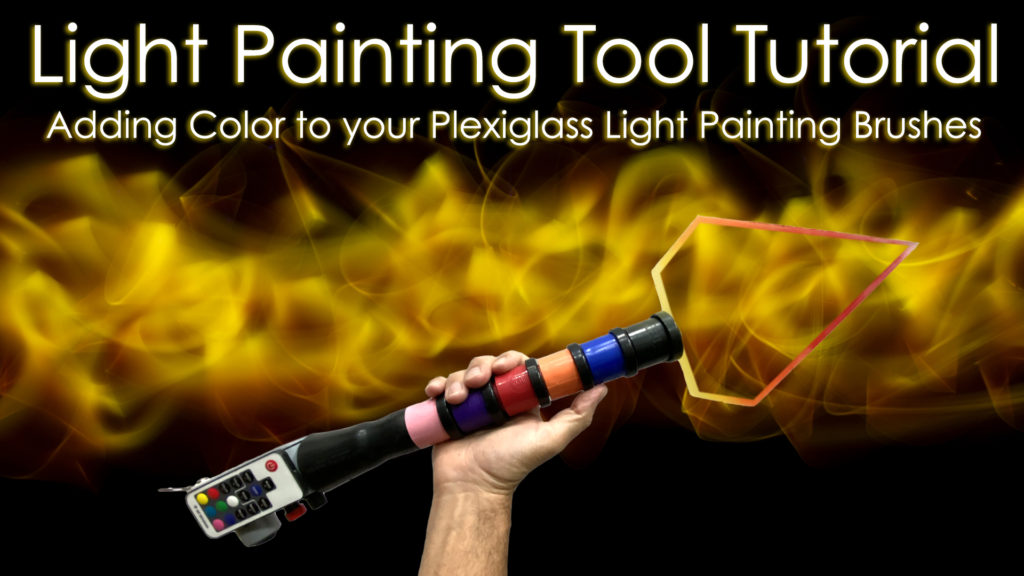
Light Painting Tutorial Thumbnail

In this Light Painting Tool Tutorial I show 4 different ways to add color to your Plexiglass Light Painting Brushes. Plexiglass Light Painting Brushes are some of the more versatile Light Painting Tools around. These light painting tools are great for creating abstract light painting images, light painting portraits, light painted wings and all the orbs you can stand to make before your arms finally give out. Adding color into and/or onto your plexiglass can make your images come alive. All the different tools and technique in this tutorial work great on their own, but the magic really happens when you combine some of these colorful techniques to create unique colors and textures in your light painting photography work. Below is a list of the light painting tools that I used in this tutorial with links to all of them. Enjoy.

Light Painting Tools in this video:
The Plexiglass Light Painting Tools are from Light Painting Brushes
Light Excursion RGB Light
Screw On Color Filters
Transparent Color Vinyl
Flashlight: Soonfire MX66
Wide Tip Sharpies

The camera settings for most the Light Painting Photographs you see in this tutorial video were: ISO 100, F8-F10, and exposure times ranged from 10-45 seconds shooting in a completely dark studio environment.

Follow my light painting work at:
http://instagram.com/jasondpage_lightpainterhttp://instagram.com/jasondpage_lightpainter
http://facebook.com/jasondpagehttp://facebook.com/jasondpage

Filed Under: Light Painting Photography, Light Painting Tutorials, Light Painting Video

Copyright © 2026 · News Pro Theme on Genesis Framework · WordPress · Log in